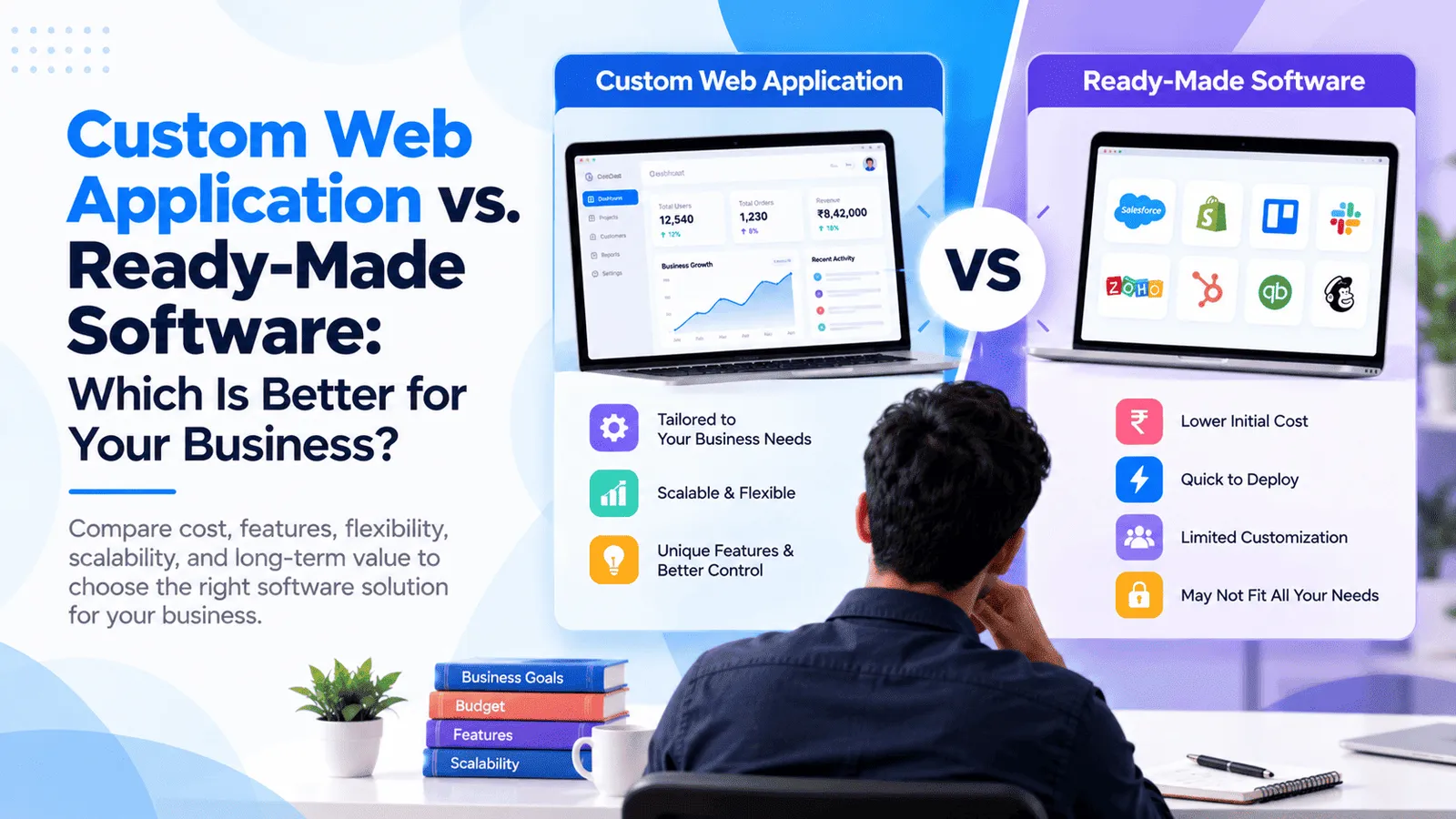
Custom Web Application vs. Ready-Made Software: Which Is Better for Your Business?
Choosing the right software is an important decision for any business looking to improve operations, automate repetitive tasks, and support future growth. You may be considering ready-made software with existing features or investing in a custom web application designed around your specific business requirements.
Ready-made software can help you get started quickly with established features and predictable subscription options. Custom web application development, on the other hand, allows you to build software around your workflows, integrate existing business systems, and maintain greater control over your product's functionality and future development.
Neither option is automatically better for every business. The right choice depends on how closely existing software matches your needs, how complex your processes are, what you can invest initially, and how much flexibility you will need as your business grows.
In this guide, we compare custom web application development vs. ready-made software across flexibility, integrations, ownership, recurring costs, scalability, implementation time, and long-term maintenance to help you make an informed decision.
What Is the Difference Between Custom Software and Ready-Made Software?
What Is Ready-Made Software?
Ready-made software, also called off-the-shelf software, is a product developed for a broad group of users or a particular industry. It provides predefined features that customers can use through a subscription, license, or other commercial arrangement.
Examples include customer relationship management (CRM) tools, accounting platforms, project management applications, inventory systems, email marketing tools, and customer support software.
Most ready-made products include standard features, documentation, onboarding resources, and ongoing updates. Depending on the provider and plan, you may also receive integrations, technical support, security updates, and data storage.
However, the software is designed around the product provider's capabilities. Your business may need to adapt some workflows to fit the available features, purchase a higher plan to unlock functionality, or use additional tools to cover missing requirements.
What Is a Custom Web Application?
A custom web application is interactive software developed around your organization's specific workflows, business rules, users, and operational requirements. It is accessed through a web browser and can provide functionality tailored to your business.
Examples include custom CRM platforms, customer portals, loan management systems, inventory applications, appointment booking platforms, business dashboards, workflow automation systems, and subscription-based SaaS products.
A custom web application can include features such as user authentication, role-based permissions, dashboards, reporting, payment processing, automated reminders, third-party integrations, and AI-powered assistance.
Unlike a standard product with a fixed feature set, custom software can be planned around the way your business operates. The scope can evolve as requirements change, although new features, infrastructure, and ongoing maintenance may require additional investment.
Custom software does not automatically mean that you own every component or have unrestricted control over every service. Source code ownership, intellectual property rights, third-party dependencies, infrastructure access, and licensing should be defined in your development agreement.
Custom Web Application vs. Ready-Made Software: A Quick Comparison
Which Option Fits Your Business Requirements?
The following comparison highlights the main differences between the two approaches.
Initial investment: Ready-made software generally has a lower starting cost, while custom development requires an upfront investment in discovery, design, development, and testing.
Implementation time: Ready-made software can often be configured and used quickly. Custom applications may take several weeks or months depending on scope.
Flexibility: Ready-made products offer the features and customization options supported by their providers. Custom software can be designed around your specific workflows.
Integrations: Ready-made products provide supported integrations, while custom software can be designed around your existing APIs and business systems.
Ownership: Ready-made software usually operates under a subscription or license. Custom development may provide source code ownership and greater control, depending on the contract.
Recurring costs: Ready-made software commonly involves subscription or licensing charges. Custom applications involve hosting, maintenance, support, infrastructure, and potential future development costs.
Scalability: Both options can scale, but each has different limits, costs, and architectural considerations.
Maintenance: Ready-made software providers manage the underlying product, while custom application owners generally need an agreed maintenance and support arrangement.
The most suitable option is the one that meets your current needs and provides a sustainable path for future development without creating unnecessary cost or complexity.
1. Flexibility and Customization
Ready-Made Software: Work Within Existing Features
Ready-made software is developed to serve many customers, so its features usually follow a predefined product roadmap. You may be able to configure workflows, add fields, customize dashboards, create templates, or choose optional modules depending on the plan.
This works well when your business follows common processes and the available functionality already matches most of your requirements.
However, problems can arise when your workflow includes specialized approval rules, unusual calculations, industry-specific logic, or processes that do not fit the product's standard capabilities.
You may need workarounds, additional applications, manual data transfers, or expensive customization services to achieve the desired outcome.
Custom Web Application: Build Around Your Business
Custom web application development allows you to define the application's workflows, data structures, user roles, business rules, and interface according to your needs.
For example, a service company may need to assign work based on employee availability, customer location, service category, and approval status. A ready-made product may support only some of these conditions, while a custom application can implement the required rules as part of the planned scope.
Custom functionality can also evolve as your business changes. You can prioritize new modules, revise existing workflows, and improve the application based on customer feedback and operational requirements.
However, flexibility comes with responsibility. Every custom feature requires development, testing, documentation, and maintenance. A clear roadmap helps prevent unnecessary complexity and keeps the solution maintainable.
Best choice: Ready-made software is suitable when standard features meet your requirements. Custom software is worth considering when unique workflows are central to your competitive advantage or operational efficiency.
2. Integration With Existing Business Systems
Ready-Made Software Integrations
Many established products provide integrations with commonly used services such as payment gateways, accounting systems, email platforms, CRM applications, calendars, and communication tools.
These integrations can reduce implementation time because the provider may already support authentication, data synchronization, and standard workflows.
However, not every integration is available on every plan. Some features may require paid connectors, higher subscription tiers, additional integration platforms, or custom development.
Businesses should also evaluate synchronization limits, API quotas, data mapping, supported events, and the availability of documentation before choosing a product.
Custom Software Integrations
A custom web application can be designed to work with the systems your business already uses, provided those systems expose suitable APIs or other supported integration methods.
For example, a company may need one application that connects customer records, inventory, payments, notifications, reporting, and an existing ERP system.
Custom integration can provide greater control over how data moves between systems, how business rules are enforced, and how errors are handled. It can also create a consistent interface for employees who would otherwise have to work across multiple tools.
However, integrations are not automatically easy simply because the application is custom-built. Third-party API limitations, legacy infrastructure, inconsistent data, authentication requirements, and changes to external services can increase development and maintenance costs.
Best choice: Ready-made software works well when its supported integrations cover your requirements. Consider bespoke business software when integration gaps create substantial manual work or prevent important processes from operating efficiently.
3. Ownership, Control, and Data Portability
What Do You Own With Ready-Made Software?
When you subscribe to ready-made software, you generally receive permission to use the product according to the provider's license or subscription terms. You do not automatically own the underlying source code or control the provider's product roadmap.
The provider typically manages the core application, product updates, and underlying infrastructure as defined by the service agreement.
Before committing to a platform, review data export options, account termination terms, backup capabilities, user limits, retention policies, and what happens to your information if you discontinue the service.
Consider whether your business can migrate its data to another system without excessive cost or operational disruption.
Ownership With Custom Software Development
Custom software can offer greater control over application behavior, development priorities, integrations, and infrastructure. Depending on the agreement, you may obtain ownership of the project-specific source code and associated intellectual property.
However, ownership should never be assumed. Contracts may distinguish between newly developed code, pre-existing components, open-source libraries, commercial dependencies, and reusable intellectual property retained by the development company.
Before starting development, agree on source code delivery, repository access, intellectual property rights, third-party licensing, production account ownership, technical documentation, and handover responsibilities.
Also consider operational control. Owning source code does not eliminate the need for technical expertise, hosting arrangements, security updates, backups, and maintenance.
Best choice: Ready-made software is appropriate when you are comfortable using a provider's product under its licensing terms. Custom software is worth considering when control over functionality, integration strategy, intellectual property, and the future roadmap is important to your business.
4. Initial Cost vs. Long-Term Cost
Why Ready-Made Software Can Cost Less Initially
Ready-made products usually spread development costs across many customers. Instead of funding the entire application, your business pays for access to an existing product and selects a suitable subscription or license.
This can make it easier to start using software without a large upfront investment.
However, the total cost may increase as you add employees, customers, storage, advanced features, premium support, or additional products. Separate subscriptions can also accumulate when different departments use different tools.
Other expenses may include setup fees, implementation services, training, data migration, integration platforms, and charges for exceeding usage limits.
Understanding the Total Cost of Custom Software
Custom software usually requires more upfront investment because the application must be designed, developed, tested, and deployed for your business.
Its total cost of ownership may include:
Discovery, requirements analysis, and technical planning.
UI/UX design and application development.
Backend APIs, database architecture, and integrations.
Quality assurance, security testing, and production deployment.
Hosting, storage, backups, and monitoring.
Maintenance, bug fixes, and dependency updates.
Future features, operational support, and infrastructure upgrades.
Depending on the contract, some ongoing services may be included for a limited period, while other services require separate payment.
Illustrative Cost Comparison for India
The following figures are examples for preliminary planning, not fixed market prices. Actual costs depend on product selection, development scope, user volume, provider pricing, and operational requirements.
Ready-made software: May start with a relatively small monthly subscription, depending on the product and plan. Multiple users, premium features, implementation, and third-party integrations can increase the total.
Basic custom web application: Approximately ₹1.5 lakh–₹5 lakh for a limited application with straightforward requirements.
Custom application MVP: Approximately ₹4 lakh–₹10 lakh for a more complete first version with core workflows, authentication, and selected integrations.
Mid-sized custom business application: Approximately ₹10 lakh–₹25 lakh or more for multiple modules, advanced workflows, permissions, and reporting.
These development estimates do not automatically include recurring hosting, subscriptions, taxes, or ongoing maintenance. Request a detailed quotation and separate one-time expenses from recurring charges before making a decision.
How to Compare Costs Over Three to Five Years
A useful comparison considers the total expected cost over the period you plan to use the software, rather than looking only at the first invoice.
For ready-made software, include subscriptions, user growth, upgrades, integrations, implementation, training, and migration costs if you later change platforms.
For custom software, include initial development, hosting, maintenance, support, third-party services, planned enhancements, and potential infrastructure upgrades.
Also consider the operational cost of manual work that remains unresolved. A cheaper tool can become expensive if employees continue to repeat tasks, move information between systems, or work around missing functionality.
For a custom solution, the initial development cost may be higher, but the overall economics can improve when the application removes significant recurring inefficiencies or replaces several overlapping systems. This outcome should be evaluated using your actual workflows and projected costs rather than assumed in advance.
5. Scalability and Business Growth
Can Ready-Made Software Scale With Your Business?
Established software products may offer infrastructure, support, and product features designed to serve growing customer bases. Depending on the provider, you may be able to add users, increase storage, purchase higher-tier plans, or enable advanced modules as your requirements evolve.
This can be convenient because the provider manages much of the underlying product infrastructure.
However, scalability may be limited by user caps, feature availability, pricing tiers, integration quotas, customization limits, or the provider's product direction.
Before choosing a platform, review how its pricing changes as your business grows and whether its capabilities will support your future workflows.
Scaling a Custom Web Application
A custom web application can be designed to support expected growth in users, transactions, data, and business operations. Its architecture can be adapted as requirements change.
For example, a growing business may begin with an administrative dashboard and later introduce customer portals, mobile applications, automation, subscription management, or advanced analytics.
However, scalability is not automatic. The architecture must account for database performance, caching, background jobs, security, monitoring, backups, and infrastructure capacity as the workload increases.
Overengineering for hypothetical future traffic can increase the initial budget unnecessarily. A more practical approach is to build a maintainable foundation and introduce additional infrastructure when measurable demand requires it.
Best choice: Ready-made software can scale effectively when its features, pricing, and technical limits fit your growth plans. Custom software may be preferable when product differentiation, specialized workflows, or greater control over future capabilities is important.
6. Implementation Time and Time to Market
How Quickly Can You Start With Ready-Made Software?
Ready-made software can often be configured and introduced faster than a custom application because the core product already exists.
Depending on the product, implementation may involve account setup, user configuration, importing data, defining workflows, training employees, and connecting supported integrations.
For standard business processes, this can provide a quicker route to productivity than developing an entirely new application.
However, complex data migration, customization, staff training, and multiple integrations may extend implementation time.
How Long Does Custom Web Application Development Take?
Custom development typically includes discovery, design, implementation, testing, deployment, and handover.
As broad planning estimates, a basic application may require approximately 4–8 weeks, a focused MVP may require 8–14 weeks, and a mid-sized business application may take several months or longer.
These timelines depend on the number of features, complexity of business rules, integration requirements, testing expectations, and speed of decision-making.
Custom development can take longer initially, but it may eliminate the need for extensive workarounds if the business requires a highly specialized solution.
Best choice: Ready-made software usually offers a faster starting point when it fits the problem. Custom software makes sense when the additional development effort delivers important functionality that existing products cannot provide effectively.
7. Maintenance, Updates, and Technical Support
Maintenance With Ready-Made Software
Ready-made software providers generally manage updates to their core products, including supported feature improvements and security fixes according to their policies and service commitments.
This reduces the need for your business to maintain the underlying application code.
However, you still need to manage user accounts, configuration, data quality, integrations, subscription renewals, and the effects of changes introduced by the provider or connected services.
You may also depend on the provider's support availability and release schedule when resolving product limitations or requesting specific functionality.
Maintenance With Custom Software
Custom applications require a maintenance plan that covers application updates, security patches, dependency upgrades, bug fixes, performance monitoring, backups, and operational troubleshooting.
Depending on your agreement, the original development partner may provide ongoing support, or your internal team may take responsibility for maintenance.
Custom software gives you more control over the timing and priority of many changes, but it also means your business must ensure that the application remains secure, reliable, and compatible with its operating environment.
Before development begins, discuss source code handover, technical documentation, deployment procedures, support response times, and responsibility for future enhancements.
Best choice: Ready-made software can reduce the engineering workload of maintaining a product. Custom software can provide greater control over improvements, provided you have a sustainable plan for ongoing technical support.
When Should You Choose Ready-Made Software?
Ready-Made Software May Be the Better Choice If...
You do not always need custom development to solve a business problem. Existing products can be highly effective when your requirements match standard functionality.
Consider ready-made software when:
Your business follows common workflows that existing products already support.
You need a solution quickly and do not have the time to fund a custom development project.
Your initial budget is limited and the recurring subscription is affordable.
The product offers the integrations, reporting, security, and permissions you require.
You are validating a new process or business idea and want to avoid a large upfront commitment.
You prefer a provider to manage the core application updates and product infrastructure.
Examples of Suitable Ready-Made Solutions
A small team may use an existing project management application rather than commission a new task management system. A business with standard accounting requirements may prefer established accounting software. A company looking for email marketing features may find that an existing marketing platform already covers its requirements.
In these cases, custom development may add cost without providing enough additional value to justify the investment.
Before subscribing, check the full pricing structure, integration options, data export capabilities, user limits, support terms, and likely cost as your team grows.
When Should You Invest in Custom Web Application Development?
Custom Software May Be the Better Choice If...
Custom development becomes more valuable when your business needs functionality that cannot be delivered effectively through existing products or when software is central to your competitive advantage.
Consider bespoke business software when:
Your workflows are specialized or involve complex business rules.
Your team relies on repetitive manual tasks because existing tools do not connect properly.
You need integrations that ready-made products do not support adequately.
You want a customer portal, SaaS platform, or digital product built around a specific business model.
You need greater control over product functionality and the development roadmap.
Existing tools create significant operational inefficiencies or require multiple workarounds.
You expect to develop specialized reporting, automation, or AI-powered functionality.
Examples of Custom Business Software
Custom CRM: A CRM designed around your lead assignment rules, sales workflow, communication channels, and reporting requirements.
Inventory management application: A system connecting multiple warehouses, orders, suppliers, stock movements, and business-specific replenishment rules.
Loan management platform: An application with borrower records, repayment schedules, collection workflows, payment integrations, reports, and access controls designed around the organization's processes.
Customer portal: A secure interface where customers can view account information, submit requests, access documents, track progress, or manage subscriptions.
Custom SaaS product: A subscription-based platform with organization accounts, role-based permissions, billing, usage limits, and differentiated features for a particular market.
These applications can require more upfront investment, but custom functionality can be justified when it addresses important business requirements and provides long-term operational or commercial value.
Can You Combine Ready-Made Software With Custom Development?
A Hybrid Approach for Growing Businesses
Choosing between custom and ready-made software does not always have to be an all-or-nothing decision.
A hybrid approach uses existing products for standard capabilities and custom software to handle the workflows, integrations, and features that make your business different.
For example, a business might continue using an established accounting platform while developing a custom customer portal and integrating it with the accounting system through supported APIs.
Another company might use an existing CRM but build a custom dashboard that combines sales information, operational data, and business-specific reporting.
This approach can avoid rebuilding functionality that already works while allowing the business to improve the parts of its operation that need more flexibility.
Where AI Can Fit Into a Hybrid Solution
AI can be introduced through targeted integrations rather than replacing every existing system. A custom application might include a knowledge assistant that searches approved internal documents, an AI feature that extracts information from submitted forms, or a chatbot that helps users navigate existing services.
The application can continue relying on established systems for authoritative financial records, user permissions, transaction processing, and other structured operations while AI supports selected tasks.
The integration should account for access permissions, data quality, error handling, operating costs, and human review where appropriate.
Best choice: A hybrid solution can be practical when existing software already handles some processes well but leaves important gaps that custom development can address.
How to Decide Which Solution Fits Your Business
1. Identify Your Biggest Business Problem
Start by defining what you want the software to improve. Are you trying to reduce manual data entry, improve customer experience, connect several systems, automate approvals, or create a new revenue-generating digital product?
A clear objective helps you evaluate whether existing features are sufficient or whether custom development is justified.
2. Document Your Essential Requirements
List the features, user roles, reports, integrations, security controls, and workflows the solution must support.
Separate mandatory requirements from desirable improvements. This makes it easier to compare a ready-made product against a realistic custom development scope.
3. Evaluate Available Products Before Building
Review ready-made products that serve your industry or business function. Test the most important workflows rather than relying only on marketing pages or feature lists.
Identify gaps, limitations, paid add-ons, integration restrictions, and possible workarounds. The cost of these limitations should be considered alongside the subscription price.
4. Compare Total Cost of Ownership
Estimate the expected cost over a period that matches your planning horizon, such as three to five years.
Include subscriptions, setup, customization, user growth, integrations, hosting, maintenance, training, data migration, and future enhancements. Also consider the cost of manual work that remains unresolved by each option.
5. Assess Your Need for Ownership and Control
Determine whether your business needs control over source code, application behavior, deployment, data architecture, and the product roadmap.
If these factors are commercially important, custom development may offer advantages, but ownership rights and third-party dependencies should be agreed upon contractually.
6. Consider Future Growth
Review whether the solution can support anticipated users, new business processes, additional integrations, and changes to your operating model.
A ready-made product may scale well if its pricing and capabilities fit your growth plans. Custom software may provide greater flexibility where you need specialized functionality or control over future development.
7. Start With the Most Practical Scope
If you choose custom development, avoid building every planned feature in the first release. Start with an MVP or a focused workflow that addresses the most important business problem.
If you choose ready-made software, begin with the plan that meets your immediate requirements and confirm that you can upgrade or migrate if the business changes.
Common Mistakes Businesses Make When Choosing Software
Choosing Only by Initial Price
A low initial subscription does not guarantee the lowest total cost, and a high custom development quotation does not automatically mean better value. Evaluate the complete cost, functionality, support, and operational impact.
Buying More Features Than Necessary
Premium plans, advanced modules, and extensive customization can increase spending without improving your most important workflows. Prioritize the features that directly serve your business objectives.
Ignoring Integration Limitations
A product may look suitable until your team discovers that essential data cannot be transferred to another system. Validate integration behavior, API limits, export options, and synchronization requirements before committing.
Underestimating Maintenance Responsibilities
Custom software requires a clear plan for security updates, backups, technical support, and future development. Ready-made software also requires ongoing administration, subscription management, and oversight of integrations and data portability.
Overengineering the First Release
Building complex functionality before confirming its value can increase cost and delay the launch. Start with the most important workflows and add capabilities based on business needs and user feedback.
Assuming Custom Software Automatically Scales
Custom architecture must be designed, tested, monitored, and improved to support growth. A scalable solution depends on appropriate data models, performance, infrastructure, security, and operational planning.
How to Choose a Custom Software Development Company
What Should You Look for in a Development Partner?
If custom development is the right approach, selecting a suitable software development company becomes an important part of the project.
Look for a partner that understands your business requirements and can explain the trade-offs between purchasing, configuring, integrating, and building software from scratch.
Before selecting a custom software development company, consider the following questions:
Can the team evaluate your existing tools before recommending custom development?
Do they understand your workflows, data structures, integrations, and user requirements?
Does the proposal define the project scope, deliverables, milestones, exclusions, and acceptance criteria?
Are UI/UX design, testing, deployment, documentation, and handover included?
Who owns the source code, intellectual property, repository, hosting accounts, and third-party subscriptions?
What maintenance, support, and future enhancement options are available?
Can the architecture support future changes without introducing unnecessary complexity?
A strong proposal should explain why the recommended approach fits your requirements and how the initial investment, ongoing expenses, and future improvements will be managed.
At MT TechnoSoft, we help businesses explore custom web application development, bespoke business software, web and mobile applications, business automation, and AI integrations. Our approach starts with understanding your existing workflows, identifying the functionality that matters most, and selecting a practical technical solution.
Whether you need a customer portal, an operational dashboard, a custom CRM, a subscription-based platform, or integration between your existing systems, the goal is to build a solution that supports your business requirements and can evolve as those requirements change.
Frequently Asked Questions About Custom Software vs. Ready-Made Software
What is the difference between custom software and ready-made software?
Ready-made software provides predefined functionality for a broad group of customers, usually under a subscription or license. Custom software is developed around specific business workflows, requirements, and integrations. Ready-made products often offer a faster starting point, while custom applications provide greater control over the functionality being built.
Is custom web application development better than ready-made software?
Custom development may be better when your business requires specialized workflows, unique integrations, or greater control over the product roadmap. Ready-made software is often more practical when its existing functionality meets your requirements at a reasonable total cost.
How much does custom web application development cost in India?
Indicative development budgets may range from ₹1.5 lakh–₹5 lakh for a basic application, ₹4 lakh–₹10 lakh for a focused MVP, and ₹10 lakh–₹25 lakh or more for a mid-sized business application. The actual cost depends on features, design, integrations, security, testing, and technical complexity.
Is ready-made software cheaper in the long run?
It can be, particularly when the subscription remains affordable and the product continues to meet your requirements. However, user-based pricing, premium features, integrations, implementation services, and workarounds can increase total costs. Compare expenses over your intended planning period rather than considering only the initial subscription.
Who owns custom software after development?
Ownership depends on the development agreement. Your contract should clearly specify rights to project-specific source code, intellectual property, reusable components, third-party dependencies, repositories, and deployment assets. Do not assume that paying for development automatically transfers every associated right.
Can custom software integrate with my existing applications?
Yes. Custom software can be designed to integrate with existing applications through suitable APIs, webhooks, databases, or supported connectors. Integration complexity depends on documentation, authentication, data structures, access permissions, and the capabilities of the systems involved.
Is custom software more scalable than ready-made software?
Custom software can be designed around your expected growth and future requirements, but scalability depends on the quality of its architecture and ongoing operation. Ready-made products can also scale effectively when their technical capabilities, pricing tiers, and feature limits fit your business plans.
How long does it take to build custom business software?
A basic application may take approximately 4–8 weeks, while an MVP may take 8–14 weeks. More complex applications can require several months or longer. Actual timelines depend on project scope, integrations, testing, decision-making, and changes to requirements.
Can a small business afford custom software development?
Yes. A small business can start with a narrowly scoped application or MVP focused on one important workflow. Before investing, compare development and maintenance expenses against the costs of existing tools, manual work, errors, and operational limitations.
Can I use ready-made software now and switch to custom software later?
Yes. Many businesses begin with existing products and move to custom development when their workflows become more specialized or the limitations of current tools become expensive. To reduce migration difficulties, review data export options, API access, and integration requirements early.
What is bespoke business software?
Bespoke business software is software designed and developed for a particular organization's requirements rather than offered as a standard product to a broad market. It can include custom web applications, CRM platforms, operational tools, portals, and workflow automation systems.
Should I choose a hybrid approach?
A hybrid approach can be effective when ready-made software already handles standard tasks well but your business needs custom functionality for specific workflows or integrations. You can continue using suitable existing products while developing custom components where they provide clear value.
Looking for the Right Software Solution for Your Business?
The choice between custom web application development and ready-made software depends on your requirements, budget, timeline, and long-term strategy. Existing software can be an excellent starting point when its features match your needs. Custom development becomes more attractive when business-specific workflows, integrations, ownership, or future product plans require greater flexibility.
You do not need to commit to a large project before understanding your options. Start by identifying the limitations of your current tools, documenting the essential requirements, and comparing the total cost of available approaches.
MT TechnoSoft can help you evaluate your requirements and explore an appropriate solution, whether that involves custom web application development, bespoke business software, integration with existing systems, or a phased MVP approach.
Ready to discuss your requirements? Contact MT TechnoSoft to discuss your business challenges, compare potential development approaches, and plan a software solution aligned with your goals and budget.