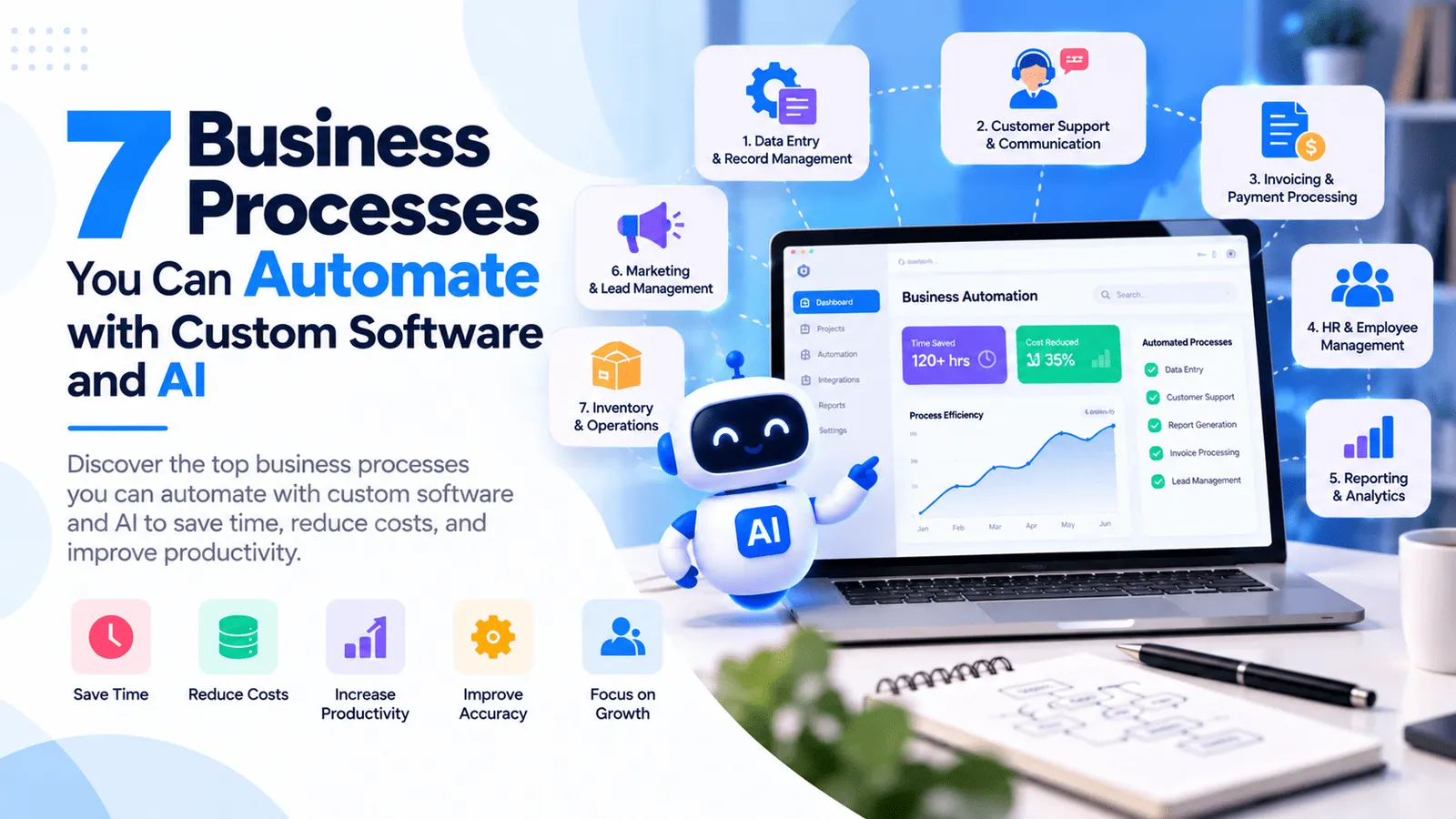
7 Business Processes You Can Automate with Custom Software and AI
Many businesses spend hours every week managing repetitive tasks, updating spreadsheets, processing documents, responding to customer enquiries, and preparing reports. Although these activities are essential to daily operations, handling them manually can slow down teams, increase the risk of errors, and make it harder to scale.
This is where business process automation software and artificial intelligence can make a meaningful difference. Custom software can connect business systems, automate repetitive workflows, and ensure that information moves between teams without unnecessary manual effort. AI can extend these capabilities by helping process documents, understand customer requests, summarize information, and support decisions that previously required more human involvement.
Businesses do not always need to replace their existing systems to benefit from automation. In many cases, custom software can connect existing applications, improve current workflows, and introduce AI features where they provide measurable value.
In this guide, we explore seven business processes you can automate using custom business software and AI, explain how these solutions work, and discuss how to identify the right automation opportunities for your organization.
What Is Business Process Automation?
Understanding Business Automation Software
Business process automation is the use of software to perform repetitive, structured, or rules-based activities with reduced manual intervention. These activities may involve collecting information, updating records, sending notifications, generating documents, routing approvals, or synchronizing data between applications.
Traditional automation generally follows predefined rules. For example, a system can automatically send a payment reminder when an invoice becomes overdue or notify a manager when a purchase request exceeds an approval limit.
AI workflow automation extends this approach by adding capabilities such as document understanding, text classification, natural-language processing, summarization, and intelligent information retrieval. These capabilities can help when incoming information varies in format or cannot be handled efficiently through fixed rules alone.
Custom business software brings these capabilities together around your company's actual processes, existing systems, user permissions, and reporting requirements.
1. Automate Manual Data Entry and Document Processing
Reduce Repetitive Work Across Business Systems
Manual data entry is a common source of operational delays. Employees may need to copy information from emails, PDFs, invoices, forms, spreadsheets, purchase orders, or scanned documents into business applications.
When the same information is entered into multiple systems, the risk of inconsistent records and typing errors increases. Teams may also spend considerable time checking whether information is complete and correctly formatted.
Custom software combined with AI can help extract, validate, organize, and transfer information from supported documents into the appropriate business workflows.
What can you automate?
Extract customer details from submitted forms and documents.
Capture invoice numbers, dates, totals, and supplier information.
Classify incoming documents by type or business purpose.
Validate required fields and identify missing information.
Transfer approved information into existing databases or business applications.
Flag inconsistent records for manual review.
How AI Improves Document Processing
Traditional automation works well when documents follow predictable formats. AI-based document processing can help when information appears in different layouts, unstructured text, or documents that require contextual interpretation.
For example, a business receiving invoices from multiple suppliers could use document extraction to identify invoice details, validate required fields, and route the extracted data for approval before it enters the accounting workflow.
Documents containing unclear values, conflicting totals, or sensitive information should be reviewed through appropriate validation steps. AI extraction should not automatically be treated as correct simply because the system produced a result.
Business impact: Reduced repetitive data entry, more consistent records, faster document handling, and improved visibility into exceptions that require human attention.
Best suited for: Accounting teams, logistics companies, financial service providers, procurement departments, insurance operations, and businesses that process large volumes of documents.
2. Automate Customer Support and Enquiries
Provide Faster Responses Without Increasing Every Manual Task
Customer support teams often receive similar questions about services, pricing, product functionality, order status, account settings, booking details, and troubleshooting.
When every enquiry requires an employee to locate the relevant information and prepare a response manually, response times can increase as the number of customers grows.
Business process automation software can route enquiries, create support tickets, send status updates, and track unresolved issues. AI can make this workflow more flexible by interpreting natural-language questions and retrieving relevant information from an approved knowledge base.
What can you automate?
Answer frequently asked questions using approved company information.
Classify incoming customer requests by topic or urgency.
Create support tickets and assign them to suitable teams.
Send order updates, appointment confirmations, and service notifications.
Summarize customer conversations for support agents.
Escalate complex, unresolved, or sensitive enquiries to a human representative.
AI Chatbots and Customer Support Automation
An AI chatbot can be integrated into an existing website, customer portal, SaaS application, or mobile app. It can use company FAQs, product documentation, and approved support content to prepare contextual responses.
For more advanced workflows, the chatbot can connect to authorized backend APIs to retrieve account-specific information or create a support request. Authentication and access permissions must be enforced by the application backend rather than delegated to the AI model.
Businesses should also plan for inaccurate answers, unsupported questions, provider outages, and requests that require human judgment. A clear escalation process and appropriate testing help make the system more reliable.
Business impact: Faster access to information, reduced repetitive support work, more consistent responses, and improved visibility into customer service performance.
Best suited for: Ecommerce businesses, SaaS companies, healthcare administration, education platforms, service providers, and businesses with recurring customer enquiries.
3. Automate Sales and Lead Management
Turn Incoming Enquiries Into Organized Sales Opportunities
Sales teams often manage leads from website forms, email, social media, advertising campaigns, referrals, and telephone enquiries. When these leads are recorded and assigned manually, opportunities can be missed, follow-ups can be delayed, and customer information can become scattered across different tools.
Custom CRM software can centralize incoming enquiries and automate the steps required to organize, qualify, assign, and follow up with potential customers.
What can you automate?
Capture enquiries from website forms and connected channels.
Create customer and lead records automatically.
Assign leads to employees or departments using predefined rules.
Schedule follow-up reminders and notify responsible team members.
Track lead status, sales stages, and pending activities.
Generate summaries of customer interactions and sales activity.
How AI Supports Sales Automation
AI can help classify enquiries, summarize conversations, extract project requirements, draft follow-up messages, and identify useful information from customer interactions.
For example, a software development company could use AI to summarize a prospective client's project requirements, identify the requested platform, and prepare an initial enquiry summary for the sales team.
AI-generated lead scores or recommendations should be treated as decision-support information rather than unquestionable conclusions. Teams should review the criteria and monitor whether the automation improves actual sales outcomes.
Automated outreach should also respect consent, communication preferences, applicable privacy requirements, and the policies of the channels being used.
Business impact: Better lead visibility, more consistent follow-ups, reduced administrative work, and improved coordination between sales and delivery teams.
Best suited for: B2B companies, real estate businesses, agencies, software development companies, consultancies, and organizations managing multiple sales enquiries.
4. Automate Invoicing, Payments, and Financial Workflows
Reduce Manual Financial Administration
Financial operations involve recurring activities such as generating invoices, tracking due dates, recording payment statuses, reconciling transactions, and preparing reports.
Handling these activities manually can create delays and make it difficult to maintain consistent records, especially when a business processes many invoices or manages several customers, vendors, or locations.
Custom financial software can connect invoices, payment gateways, accounting systems, customer records, and notification services to create more consistent financial workflows.
What can you automate?
Generate invoices from approved orders or service records.
Send invoice notifications and payment reminders according to configured rules.
Update payment statuses through verified payment gateway events.
Match selected transactions with invoice or order records.
Notify finance teams about overdue invoices or failed payments.
Prepare periodic financial summaries and downloadable reports.
Where AI Can Help in Financial Workflows
AI can assist with invoice data extraction, transaction categorization, financial document search, and summarization of financial information. It may also help flag records that require additional investigation based on defined criteria.
Financial calculations, payment confirmation, accounting rules, and money movement should remain controlled by validated software logic and trusted financial systems. AI can support the workflow, but it should not independently approve or execute sensitive financial operations without appropriate authorization and controls.
Implementations should include audit trails, access controls, error handling, duplicate-event protection, and reconciliation procedures appropriate to the business.
Business impact: More consistent invoicing, timely reminders, improved transaction visibility, and reduced administrative work for finance teams.
Best suited for: Service businesses, subscription companies, lenders, distributors, accounting departments, and organizations managing recurring payments.
5. Automate Inventory, Orders, and Supply Chain Operations
Keep Stock and Order Information Consistent
Inventory management becomes more complicated as a business adds products, warehouses, suppliers, sales channels, and fulfilment locations.
When stock levels and order information are updated manually, businesses may experience inaccurate inventory records, delayed orders, duplicate data entry, and difficulties identifying products that need replenishment.
Custom inventory and order management software can centralize stock information and automate updates across connected workflows.
What can you automate?
Update inventory records when verified orders are placed or fulfilled.
Notify teams when stock reaches predefined thresholds.
Generate purchase requests for review when replenishment is required.
Track order status, shipment updates, and fulfilment exceptions.
Synchronize available stock across supported sales channels.
Prepare inventory movement and stock valuation reports using validated business rules.
How AI Can Improve Inventory Planning
AI and predictive analytics can help identify patterns in historical sales, seasonal demand, supplier lead times, and stock movement when suitable data is available.
These insights can support demand forecasts and replenishment planning, but forecasts are not guarantees. Businesses should account for promotions, unusual demand, supply disruptions, and data quality before making purchasing decisions.
For higher-risk procurement decisions, automated recommendations can be routed to an authorized employee for approval rather than directly creating purchase commitments.
Business impact: Better inventory visibility, more consistent order processing, earlier identification of stock issues, and improved planning.
Best suited for: Retailers, wholesalers, distributors, ecommerce businesses, manufacturers, and multi-location businesses.
6. Automate HR, Employee Onboarding, and Internal Requests
Streamline Routine Employee Processes
Human resources and administration teams handle repetitive activities throughout the employee lifecycle. These may include collecting joining documents, assigning training, managing leave requests, preparing internal approvals, and coordinating access to business tools.
When these processes depend on email threads and spreadsheets, requests can be delayed and managers may lack visibility into pending tasks.
Custom HR and workflow management software can provide structured forms, approval routing, reminders, status tracking, and centralized records.
What can you automate?
Collect onboarding details and required documents.
Create onboarding checklists and assign tasks to relevant departments.
Route leave, expense, and purchase requests for approval.
Send reminders when required forms or approvals are pending.
Track training completion and policy acknowledgements.
Prepare workforce and administrative reports from authorized records.
Using AI in HR and Internal Workflows
AI can summarize approved policies, help employees find answers to common HR questions, organize submitted documents, and assist with drafting internal communications.
Sensitive employee information requires careful access controls and data minimization. Decisions about hiring, compensation, disciplinary action, or employee eligibility should not be delegated to an AI system without appropriate human oversight, validation, and consideration of applicable legal requirements.
For routine requests, rules-based workflows should handle defined approval conditions, while AI can assist with interpreting unstructured enquiries or finding relevant information.
Business impact: More transparent request handling, fewer missed approvals, improved onboarding coordination, and reduced repetitive administrative work.
Best suited for: Growing companies, distributed teams, manufacturing businesses, professional services firms, and organizations with multi-step internal approval processes.
7. Automate Reporting, Data Analysis, and Business Workflows
Replace Repetitive Reporting With Connected Business Data
Many managers rely on reports prepared manually from spreadsheets, databases, sales systems, accounting tools, and operational applications.
Collecting and consolidating this information can consume time and introduce inconsistencies. By the time a report is ready, some of its data may already be outdated.
Custom business software can integrate approved data sources, calculate predefined metrics, and generate reports on a schedule or when relevant events occur.
What can you automate?
Generate daily, weekly, or monthly business reports.
Combine information from supported systems into a centralized dashboard.
Notify managers when predefined KPIs cross configured thresholds.
Track pending tasks, service-level targets, and approval delays.
Generate PDF or spreadsheet exports from validated data.
Route exceptions to the appropriate team for review.
How AI Supports Business Reporting
AI can help summarize trends, explain changes in metrics, extract insights from report text, and allow users to ask natural-language questions about authorized business information.
For example, a manager might ask which orders are overdue, which support categories received more enquiries, or how revenue changed during a selected period. The application can combine controlled data queries with AI-generated explanations to make information easier to understand.
Numerical calculations and reporting definitions should be handled by validated queries and business logic. AI-generated summaries should be grounded in the actual results and should not invent metrics or present uncertain explanations as proven causes.
Business impact: Faster access to business information, less manual report preparation, improved operational visibility, and more timely identification of issues.
Best suited for: Management teams, finance departments, sales organizations, operations teams, and businesses that depend on information from several applications.
Business Process Automation Software vs. AI Workflow Automation
When Should You Use Traditional Automation?
Traditional automation is well suited to tasks with clear rules, predictable inputs, and defined outcomes. Examples include sending reminders on a particular date, assigning a ticket based on its category, updating a payment status after a verified webhook, or routing an expense request according to an approval limit.
These workflows can be reliable, predictable, and relatively easy to test. If the process follows a clear set of rules, adding AI may introduce unnecessary cost and complexity.
When Should You Use AI Workflow Automation?
AI is useful when workflows involve unstructured text, documents, natural-language questions, classification, summarization, or information that requires contextual interpretation.
For example, traditional automation can route an enquiry based on a selected dropdown value, while AI can help classify a free-text message into an appropriate category. A document workflow might use AI to extract information before applying normal validation rules.
AI outputs can be uncertain, so important business workflows should combine model responses with deterministic validation, permissions, and human review where needed.
A Practical Comparison
Rule-based automation: Best for predictable tasks, repetitive updates, deadlines, notifications, and fixed approval rules.
AI-assisted automation: Best for document extraction, natural-language enquiries, summarization, classification, and knowledge retrieval.
Combined automation: Best when AI interprets information and conventional software validates the result, enforces business rules, and executes approved actions.
For many businesses, the strongest solution combines both approaches rather than trying to make every workflow AI-driven.
How to Identify the Best Processes to Automate First
1. Start With Repetitive, High-Volume Tasks
Look for activities employees perform repeatedly, especially tasks that require copying information, checking records, sending standard messages, or updating several systems.
Record how frequently the task occurs, how much time it takes, and which errors or delays commonly arise. This provides a baseline for evaluating potential improvements.
2. Identify Bottlenecks and Handoffs
Processes often slow down when information moves between departments or when a request waits for approval. Map the current workflow and identify where tasks become delayed, duplicated, or difficult to track.
Automation may be most valuable when it improves these handoffs through structured statuses, notifications, validation, and clear ownership.
3. Check Data Quality and System Access
Automation depends on reliable information. Review whether your existing systems provide the required data, whether the records are consistent, and whether APIs or supported integrations are available.
If information is incomplete or spread across disconnected spreadsheets, the project may need data cleanup and integration work before full automation becomes practical.
4. Estimate Business Value
Compare the expected benefits with development, integration, hosting, maintenance, and operating costs. Benefits may include time saved, fewer errors, faster response times, improved traceability, and reduced delays.
Do not measure success only by the number of tasks automated. Consider whether the automation improves the overall process and delivers results that justify its ongoing cost.
5. Start With a Focused Pilot
Choose one workflow with a clear business owner and measurable success criteria. Implement a limited version, test its performance, and gather feedback before extending the automation to additional departments.
A focused pilot makes it easier to identify integration problems, refine business rules, and validate the expected return before committing to a larger transformation project.
How to Implement Custom Business Software and AI Automation
Step 1. Analyze the Existing Workflow
Document how the current process starts, who performs each task, which systems are involved, what information is required, and how the process ends.
Identify repetitive steps, exceptions, approval requirements, and responsibilities that should remain under human control.
Step 2. Define the Automation Requirements
Establish which activities can be automated fully, which need AI assistance, and which require human review. Define permissions, validation rules, failure handling, and audit requirements before development begins.
Step 3. Review Existing Systems and Integrations
Determine whether your current CRM, accounting software, ERP, database, website, or mobile app exposes APIs or supported integration options.
Where necessary, custom software can provide the missing workflows or create a controlled integration layer between existing systems.
Step 4. Choose Suitable Technologies
Depending on the project, the implementation may use React.js or Next.js for web interfaces, React Native for mobile apps, Node.js and Express.js for backend APIs, and PostgreSQL, MySQL, or MongoDB for data storage.
AI capabilities can be added using suitable model APIs, document-processing tools, or retrieval systems when the workflow requires them. Technology selection should follow business requirements rather than determine them.
Step 5. Build Validation and Failure Handling
Define what should happen when information is missing, an external API fails, an AI result is uncertain, or a request exceeds the user's permissions.
Use retries where appropriate, prevent duplicate operations, record important events, and provide clear escalation paths for exceptions. Financial or other consequential actions should require appropriate validation and authorization.
Step 6. Test the Workflow With Realistic Scenarios
Test ordinary cases, invalid inputs, missing information, duplicate requests, integration failures, permissions, and unexpected user behavior.
For AI-powered workflows, evaluate output quality and ensure the system handles uncertain or unsupported requests appropriately. Validate the results against real process requirements before rollout.
Step 7. Monitor and Improve
After launch, track completion rates, processing time, errors, exceptions, operating costs, and user feedback. Use the results to identify bottlenecks and improve the workflow over time.
Automation should be reviewed periodically as business rules, external APIs, customer needs, and operating conditions change.
How Much Does Custom Business Process Automation Cost?
Indicative Automation Development Costs in India
The cost of automating a business process depends on workflow complexity, integration requirements, data quality, user roles, security, and whether AI is necessary. The following ranges are indicative planning estimates rather than fixed quotations.
Simple workflow automation: ₹50,000–₹2 lakh. Suitable for a focused process such as notifications, form routing, or straightforward record updates.
Custom business automation: ₹2 lakh–₹6 lakh. May include a custom interface, backend workflows, database integration, user permissions, and several automated steps.
AI-powered process automation: ₹3 lakh–₹10 lakh. May include document processing, classification, AI-assisted responses, or integration with an existing business application.
Multi-system automation platform: ₹10 lakh–₹25 lakh or more. May include several integrated systems, advanced approval workflows, dashboards, access controls, monitoring, and extensive testing.
These ranges vary with the scope and condition of existing systems. A process that requires only a small change to an application with established APIs may cost less than one that involves several legacy systems and inconsistent data.
What Affects Automation Project Pricing?
Workflow complexity: The number of steps, business rules, approval stages, and exceptions affects development effort.
Integration requirements: Connecting several third-party services or internal systems may require data mapping, authentication, synchronization, and error recovery.
AI requirements: Document extraction, knowledge retrieval, model evaluation, and AI-assisted decisions introduce additional implementation and operating costs.
Security and permissions: Sensitive workflows may require role-based access, audit trails, data isolation, and additional testing.
Existing application architecture: Well-documented APIs and reliable data structures can simplify implementation, while outdated or disconnected systems may require extra integration work.
Maintenance and support: Hosting, third-party services, monitoring, bug fixes, and future workflow changes should be considered as part of the total cost of ownership.
Common Mistakes to Avoid When Automating Business Processes
1. Automating an Inefficient Process Without Improving It
Automating an unclear or unnecessarily complicated process can make existing problems happen faster without resolving their underlying causes. Review the workflow and remove unnecessary steps before implementing automation.
2. Using AI for Every Task
AI is not necessary for every workflow. Fixed rules are often more predictable and easier to maintain for calculations, approval limits, deadlines, and other clearly defined operations. Use AI when contextual interpretation or unstructured data creates a real advantage.
3. Ignoring Integration and Data Quality
Unreliable data and disconnected systems can undermine the entire automation project. Validate data sources, review API availability, and establish clear rules for synchronization and error handling.
4. Removing Human Review Too Early
Some processes involve sensitive information, financial consequences, customer commitments, or business decisions that require human judgment. Use approval steps and exception handling where the risk justifies them.
5. Overlooking Security and Access Control
Automation should not bypass existing permissions. Ensure that each user, service, and workflow can access only the information and operations it is authorized to use.
6. Failing to Measure Results
Define baseline performance before implementation and compare results after launch. Review time saved, error rates, turnaround time, exception volume, and ongoing operating costs to determine whether the automation delivers value.
Why Choose Custom Business Software for Automation?
Software Designed Around Your Actual Processes
Ready-made automation tools can be useful when their existing integrations and workflows meet your needs. However, businesses with specialized processes, industry-specific rules, or multiple legacy systems may require a more customized approach.
Custom business software can be designed around your actual roles, data structures, approval rules, reporting needs, and operational requirements instead of forcing your workflow into a predefined product.
It can also connect existing systems through APIs, introduce an AI assistant where appropriate, and provide a centralized interface for employees and managers.
Scalable Architecture and Long-Term Maintainability
Automation requirements often change as a business grows. New departments, products, locations, and integrations may introduce additional workflows over time.
A maintainable architecture helps teams introduce these improvements without unnecessarily rebuilding the entire application. Suitable monitoring, documentation, access controls, and testing also make the solution easier to operate and support.
Integration With Web Applications and Mobile Apps
Automation does not have to operate independently of your existing product. Custom functionality can be integrated into web applications, mobile apps, admin dashboards, customer portals, and backend services.
For example, a mobile app can submit a service request, a backend workflow can assign the task, and an administrative dashboard can track progress while automated notifications keep the customer informed.
Choosing a Custom Software and AI Development Partner
What Should You Look for in a Development Company?
A suitable development partner should understand your business processes, technical environment, integration requirements, and expected outcomes. The goal is not simply to introduce automation, but to improve a real operational problem in a measurable way.
Before choosing a development company, consider these questions:
Can the team map your current workflow and identify the right automation opportunities?
Can they integrate with your existing software, databases, APIs, and business services?
Can they explain where conventional automation is sufficient and where AI could add value?
Does the proposal define scope, deliverables, exclusions, security, and testing requirements?
Will you receive access to the source code, repository, deployment configuration, and production accounts?
What ongoing maintenance, monitoring, and support options are available?
Look for a team that explains its technical choices clearly, identifies risks early, and prioritizes measurable business outcomes over unnecessary complexity.
At MT TechnoSoft, we help businesses explore custom business software, web and mobile application development, API integration, AI chatbots, and workflow automation. We focus on understanding existing processes and identifying practical ways to connect systems, reduce repetitive work, and improve operational visibility.
Frequently Asked Questions About Business Process Automation
What is business process automation software?
Business process automation software uses predefined rules, workflows, integrations, and sometimes AI to reduce manual work involved in business operations. It can automate tasks such as data entry, notifications, approvals, record updates, reporting, and document processing.
What business processes can be automated with AI?
AI can assist with document extraction, customer support, enquiry classification, knowledge search, reporting summaries, sales communication, and selected operational workflows. Its suitability depends on the quality of available information, process requirements, and the need for human oversight.
What is the difference between business automation and AI workflow automation?
Traditional automation follows explicit rules, such as sending reminders or routing an approval according to a predefined condition. AI workflow automation adds capabilities such as natural-language understanding, document processing, classification, and summarization. Many useful systems combine both approaches.
How much does custom business process automation cost?
Indicative budgets in India may range from ₹50,000–₹2 lakh for a straightforward workflow to ₹2 lakh–₹6 lakh for more customized business automation. AI-powered and multi-system solutions may require ₹3 lakh–₹10 lakh or ₹10 lakh–₹25 lakh or more, depending on complexity and integration requirements.
Can automation integrate with my existing business software?
Yes. Automation can often connect existing applications through REST APIs, webhooks, database integrations, or supported third-party connectors. The available options depend on your systems, access permissions, API capabilities, and integration requirements.
Should I use custom software or an existing automation platform?
An existing platform may be suitable when its integrations, pricing, and workflow capabilities meet your requirements. Custom software may be more appropriate when your processes are specialized, integrations are complex, or you need greater control over the application and future functionality.
Can AI automate an entire business process without human involvement?
Some predictable, low-risk processes can be fully automated using well-defined rules. Other workflows benefit from AI assistance combined with human review, especially when information is uncertain or actions involve money, sensitive data, customer commitments, or regulated decisions.
How long does it take to implement business automation?
A simple workflow can take days or weeks, while custom systems involving several integrations, complex permissions, or AI-based document processing may require several weeks or months. The timeline depends on scope, existing system readiness, testing, and stakeholder feedback.
How can I measure the return on investment from automation?
Compare the workflow before and after implementation. Useful measures include processing time, manual hours required, error rates, completion time, missed follow-ups, support workload, and operating costs. Include development and ongoing maintenance expenses when evaluating the overall business value.
Is business process automation secure?
Automation can be designed with appropriate authentication, authorization, data validation, logging, encryption, and access controls. Sensitive workflows should apply least-privilege permissions, handle failures safely, and preserve audit trails where appropriate.
Can small businesses benefit from custom business software?
Yes. Small businesses can start by automating one repetitive process, such as lead follow-ups, invoicing reminders, document processing, or internal approvals. A focused solution can provide practical value without requiring a large enterprise-wide automation project.
Ready to Automate Your Business Processes?
Your team may already have the tools needed to improve productivity, but repetitive workflows and disconnected systems can prevent those tools from working together effectively.
Start by identifying one process that consumes significant time, creates frequent errors, or delays customers. Then evaluate whether predefined rules, API integrations, custom business software, AI, or a combination of these approaches can make the process more efficient.
MT TechnoSoft can help you evaluate your existing workflows, identify automation opportunities, and plan custom software or AI-powered solutions aligned with your business needs.
Want to identify the right automation opportunities for your business? Contact MT TechnoSoft to discuss your operational challenges, existing systems, and potential custom software and AI automation solutions.