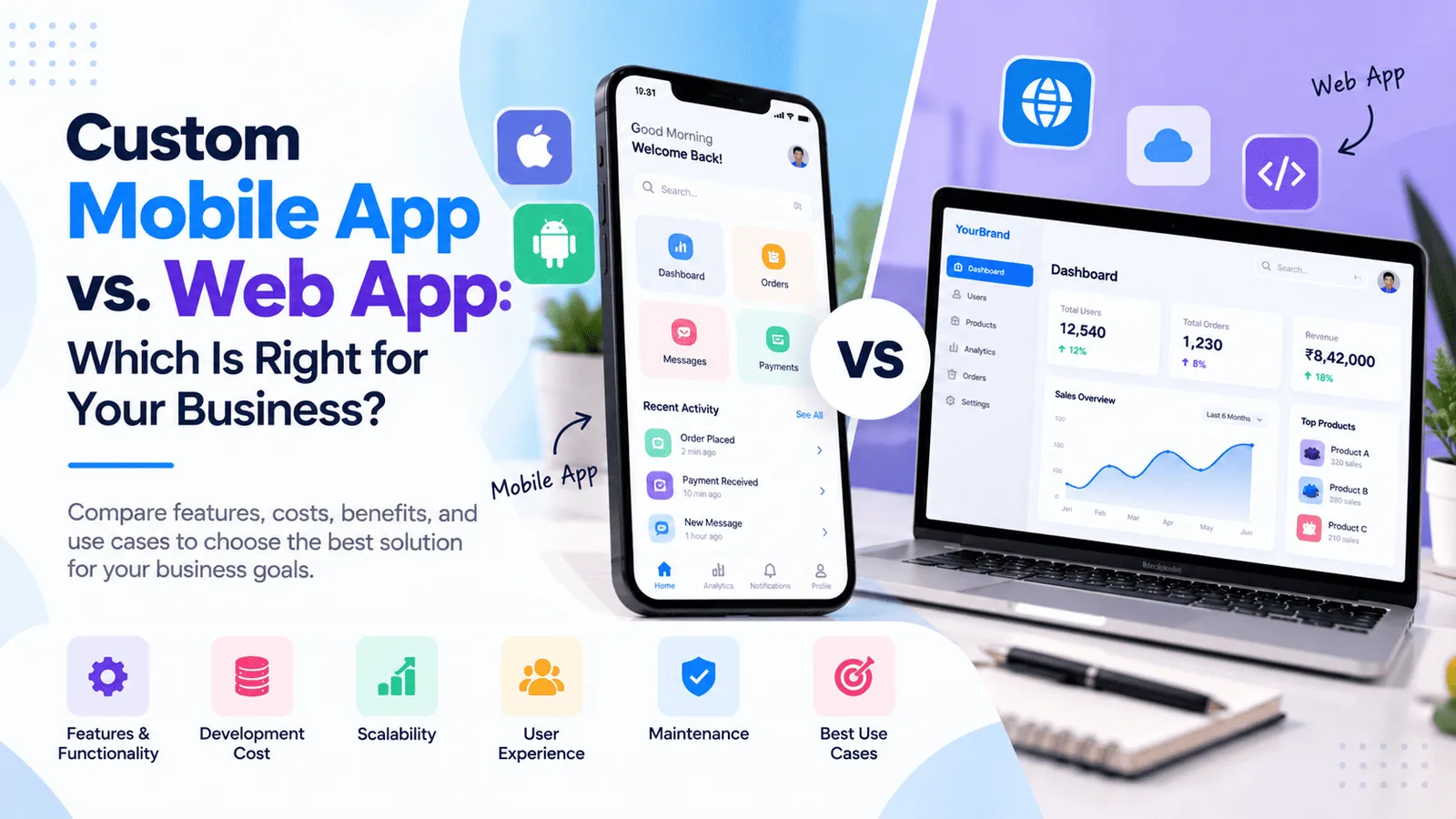
Custom Mobile App vs. Web App: Which Is Right for Your Business?
If you are planning to build a digital product for your business, one of the first decisions you need to make is whether to develop a mobile application, a web application, or both. Choosing the right platform can influence your development budget, customer experience, technical architecture, and long-term growth strategy.
A custom mobile app can provide a dedicated experience for smartphone users, including push notifications, camera access, location features, and selected device capabilities. A web application can make your services accessible through a browser without requiring users to download an app. Both options can support authentication, payments, dashboards, business workflows, and integrations.
The right choice depends on your target audience, product requirements, expected usage, budget, and business objectives. For some companies, a responsive web application is the most practical starting point. Others may benefit from a dedicated mobile app or a solution that combines both platforms through a shared backend.
In this guide, we compare custom mobile app development vs. web application development, explain their advantages and limitations, discuss indicative development costs in India, and help you decide which solution makes sense for your business in 2026.
Mobile App vs. Web App: Understanding the Difference
What Is a Custom Mobile Application?
A custom mobile application is software developed for mobile devices such as smartphones and tablets. Depending on the technology used, it may be built specifically for Android, iOS, or both platforms.
Mobile applications can provide features such as push notifications, camera access, location services, biometric authentication, file access, and certain offline capabilities, subject to device permissions and platform limitations.
Businesses use mobile applications for customer engagement, field operations, booking systems, financial services, delivery management, employee workflows, education, and many other purposes.
For example, a lending business may need a mobile application that allows customers to view loan details, receive payment reminders, access account information, and manage repayments. A field service company may need an application that allows employees to record visits, upload photographs, and update job status while working outside the office.
What Is a Web Application?
A web application is interactive software that users access through a web browser. Unlike a basic informational website, a web application allows users to sign in, manage information, complete tasks, and interact with backend systems.
Examples include customer portals, online booking systems, business management dashboards, CRM platforms, inventory management applications, reporting tools, and subscription-based SaaS products.
Web applications can be developed using technologies such as React.js and Next.js for the frontend, Node.js and Express.js for backend services, and databases such as PostgreSQL, MySQL, or MongoDB.
A responsive web application can adapt to desktop, tablet, and mobile screens. Users can access it through a supported browser, although browser capabilities, permissions, and offline functionality vary by device and implementation.
Progressive Web Apps (PWAs) can extend selected web application capabilities with features such as installation, caching, and certain offline experiences where the browser and operating system support them. However, PWAs do not provide identical capabilities or distribution options across every platform.
Key Differences Between Mobile Apps and Web Applications
1. Accessibility and User Experience
Mobile application: Users install the application on a supported device and access its features through a dedicated app interface. This can provide a consistent experience for frequent users and make device-specific functionality easier to integrate where supported.
Web application: Users open a browser and visit your application. This makes it easier to share a link, onboard customers, and provide access without requiring an app installation.
For a business platform used primarily by office employees on computers, a web application may provide the more convenient experience. For a service used repeatedly throughout the day on smartphones, a mobile application may be more appropriate.
2. Installation and Updates
Mobile application: Users usually install the app through a supported distribution channel, such as an app store or an authorized enterprise deployment process. Changes to native application code generally require a new build and distribution process, although some content and server-driven features can be updated independently.
Web application: Developers can deploy many interface and backend changes directly to the web environment. Users normally access the latest deployed version without manually installing a new application, although browser caching and service workers need to be handled correctly.
Web applications can simplify distribution, while mobile apps may require additional release management, platform testing, and store-related work.
3. Device Features
Mobile application: A mobile app may be suitable when the product needs extensive camera usage, location services, biometric authentication, background tasks, local notifications, or deeper operating system integration.
Web application: Modern browsers support many device capabilities, including selected camera, location, and notification features, subject to permissions and browser support. However, background execution, offline operation, and deeper operating system integrations may have additional limitations.
The decision should be based on the specific device capabilities your product needs rather than assuming that all mobile functionality is unavailable on the web.
4. Performance and Connectivity
Mobile application: Native applications can be optimized for specific devices and may offer advantages for graphics-intensive tasks, complex device interactions, and workloads that require local processing. Cross-platform applications can also deliver strong performance when designed appropriately.
Web application: Modern web technologies can deliver responsive and highly interactive experiences. Actual performance depends on application architecture, network requests, database queries, asset optimization, and the user's device and browser.
Neither platform is automatically faster in every situation. A well-designed web application can outperform a poorly optimized mobile app, while a carefully built mobile application may be better suited to particular device-intensive workflows.
5. Customer Engagement and Notifications
Mobile application: Push notifications can help bring users back to the app for reminders, updates, transactions, and important events. Notifications require suitable implementation and user permission.
Web application: Web push notifications are available in supported browser and operating system combinations, subject to platform rules and permissions. Email, SMS, and in-app notifications can also support customer communication.
If frequent engagement is central to your product, compare the notification requirements and supported platforms before deciding.
6. Search Visibility and Customer Acquisition
Mobile application: Mobile apps can be discovered through app stores, referrals, advertising, and links from websites. However, installing an application creates an additional step before a user can begin using it.
Web application: Publicly accessible web pages can support search engine optimization, making it possible for potential customers to discover your services through search engines. Private dashboards and authenticated pages generally serve application functionality rather than acting as public landing pages.
For businesses that depend on organic search traffic, a website or publicly accessible web application can support customer acquisition. A mobile app can complement that experience after a visitor becomes a customer.
7. Development and Maintenance
Mobile application: Development may involve Android and iOS compatibility, device testing, store preparation, platform-specific behavior, and release management. Native development for two platforms may require separate implementations or specialist work.
Web application: Development typically focuses on browser compatibility, responsive layouts, backend services, and deployment. A single web application can support many devices, although responsive design, accessibility, security, and browser testing remain important.
Maintenance requirements depend more on the product's complexity, architecture, and quality expectations than on the platform alone.
Custom Mobile App vs. Web App: Which Is More Cost-Effective?
When Is a Web Application More Affordable?
A web application can be a cost-effective starting point when your customers can complete their main tasks through a browser and you do not need deep device integration.
A single responsive application can serve desktop, tablet, and mobile browser users. This may avoid the additional effort involved in developing and maintaining separate native Android and iOS applications.
A web-first approach can be suitable for:
Business management dashboards.
Customer and employee portals.
CRM and inventory management systems.
Online booking and appointment platforms.
SaaS products and subscription-based tools.
Reporting and administrative applications.
Early-stage products that need to validate demand quickly.
However, a large web application with complex workflows, real-time features, extensive integrations, or demanding security requirements can still require a substantial development investment.
When Is a Mobile Application Worth the Investment?
A mobile application may justify its additional development and maintenance effort when customers need regular access to a dedicated mobile experience or the product depends on device capabilities.
Mobile-first development may be appropriate for:
Delivery, logistics, and field service applications.
Fitness, wellness, and activity tracking products.
Mobile-first financial and customer service applications.
Location-aware booking and navigation experiences.
Applications that rely heavily on camera or device features.
Consumer products designed for repeated daily engagement.
Applications with specific offline or background processing requirements.
The additional investment can be worthwhile when the mobile experience creates clear business value, improves task completion, or supports capabilities that are difficult to deliver adequately through a browser.
Custom Mobile App Development Cost in 2026
How Much Does It Cost to Build a Mobile App in India?
The cost of custom mobile app development depends on the number of platforms, features, backend requirements, design, integrations, security, and testing scope. The following figures are indicative planning estimates for India rather than fixed prices.
Basic mobile application: ₹2 lakh–₹5 lakh.
Business mobile app with backend APIs: ₹5 lakh–₹12 lakh.
Feature-rich mobile application: ₹12 lakh–₹25 lakh.
Complex mobile platform: ₹25 lakh–₹50 lakh or more.
A basic application may include a small number of screens, user authentication, and straightforward functionality. More advanced products may require payments, real-time updates, role-based permissions, complex backend systems, notifications, analytics, and multiple external integrations.
Native Android and iOS Development
Native development uses platform-specific technologies to build applications for Android or iOS. This approach can be useful when the product requires extensive operating system integration, platform-specific performance optimization, or specialized native capabilities.
Developing two independent native applications can increase the budget because design implementation, development, testing, and release work may be required separately for each platform. The amount of duplicated work depends on the architecture and shared backend services.
Cross-Platform Development With React Native
React Native allows developers to build Android and iOS applications using a shared JavaScript or TypeScript codebase for much of the application. It can reduce duplicated effort when the product's requirements are suitable for cross-platform development.
Businesses may consider React Native when they need mobile applications for both platforms while managing development effort and maintaining a consistent product experience.
However, some functionality may still require platform-specific code, native modules, or separate testing. Cross-platform development is not automatically cheaper for every project; the savings depend on features, integrations, and implementation requirements.
Web Application Development Cost in 2026
How Much Does It Cost to Build a Web Application?
Web application development costs vary according to the functionality, frontend and backend architecture, number of user roles, database design, integrations, security requirements, and deployment setup.
For preliminary planning in India, the following indicative ranges can help establish a starting budget.
Basic web application: ₹1.5 lakh–₹5 lakh.
Custom web application MVP: ₹4 lakh–₹10 lakh.
Mid-sized business application: ₹10 lakh–₹25 lakh.
Advanced SaaS platform or marketplace: ₹20 lakh–₹60 lakh or more.
These ranges overlap because complexity matters more than application category alone. A small web app with complex billing and financial calculations may require more engineering than a larger app with straightforward workflows.
What Affects Web Application Pricing?
The primary cost factors include UI/UX design, frontend development, backend APIs, database architecture, authentication, authorization, testing, deployment, and integrations.
Technology choices such as React.js, Next.js, Node.js, Express.js, PostgreSQL, MySQL, and MongoDB should be based on the requirements of your application rather than a fixed assumption that one stack is always less expensive.
For products expected to grow, it is important to consider maintainability, monitoring, backup procedures, and future feature development alongside the initial implementation cost.
What If Your Business Needs Both a Mobile App and a Web App?
A Shared Backend Can Support Multiple Platforms
You do not necessarily need to build two completely independent systems if your business needs both mobile and web experiences.
A common approach is to build a shared backend that manages authentication, business logic, database access, permissions, and application APIs. The web application and mobile app can then use the same backend services while providing interfaces designed for their respective platforms.
For example, a business management platform may provide an administrative web dashboard for employees and managers, while customers use a mobile application to check account details, receive notifications, or complete selected actions.
A shared backend can reduce duplicated business logic and help keep data consistent across platforms. However, the frontend interfaces, platform-specific features, testing, deployment, and maintenance still require appropriate investment.
When Should You Build Both?
Consider building both platforms when different user groups have different needs, mobile-specific capabilities are important, and your business case justifies the additional development and support effort.
A combined approach may suit:
SaaS products with web-based administration and mobile customer access.
Delivery platforms with operational dashboards and delivery partner applications.
Financial services with internal management portals and customer-facing mobile experiences.
Education platforms with web-based administration and mobile learning experiences.
Field service systems with office dashboards and employee mobile apps.
If your budget is limited, launch the platform that addresses the most important user need first. You can introduce the second interface after validating demand and understanding how customers use the initial product.
Web App, Mobile App, or Progressive Web App?
What Is a Progressive Web App?
A Progressive Web App (PWA) is a web application designed to provide selected app-like capabilities through supported browsers and operating systems. Depending on platform support and implementation, it may offer installation, caching, offline experiences, and web push notifications.
A PWA can be useful when you want browser accessibility and some app-like capabilities without maintaining a fully separate native application for every platform.
When Should You Choose a PWA?
A PWA may suit content-driven products, booking platforms, customer portals, lightweight business tools, and other applications that primarily work with web-compatible functionality.
It may be less suitable when your business depends on advanced device capabilities, platform-specific integrations, or features that are not consistently available through browsers. Support should be evaluated for the exact devices and operating systems your customers use.
Comparing the Three Options
Web application: Suitable for browser-based access, business dashboards, portals, and searchable public experiences.
Mobile application: Suitable for dedicated mobile experiences, frequent engagement, and device-specific features.
Progressive Web App: Suitable when you want a browser-based product with selected installable and offline capabilities where supported.
The best option depends on your product requirements, audience, technical constraints, budget, and the experience you want to deliver.
How to Choose the Right Platform for Your Business
1. Understand Your Target Users
Identify who will use the application, where they will use it, how frequently they will access it, and which devices they prefer.
If your users spend most of their time working on desktop computers, a responsive web application may be the natural starting point. If they need to perform tasks regularly while travelling or working in the field, a mobile application may provide a better fit.
2. List the Essential Features
Write down the tasks your users must complete. Consider whether the application needs camera access, location tracking, push notifications, offline functionality, file uploads, real-time updates, complex dashboards, or third-party integrations.
Map each requirement to the platform capabilities and test any critical limitations before committing to a development approach.
3. Set a Realistic Budget
Your budget should cover more than the initial development quotation. Include design, testing, hosting, database services, third-party subscriptions, app store-related requirements where applicable, maintenance, and future enhancements.
If you are validating a new business idea, a smaller MVP may help you test customer demand before making a larger investment.
4. Evaluate the Need for Offline Access
If users must continue working in areas with unreliable internet connectivity, evaluate offline data storage, synchronization, conflict handling, and security requirements carefully.
Mobile apps can provide useful offline capabilities, but those features require deliberate implementation. Web applications and PWAs can also support selected offline workflows, depending on browser capabilities and the way the application is designed.
5. Consider Customer Acquisition
If customers discover your services through search engines, content marketing, or shared links, a website or public web experience can make the acquisition journey easier.
If your product depends on frequent interaction after customer onboarding, a mobile application can complement the website by providing a dedicated interface and supported notifications.
6. Plan for Future Growth
Choose an architecture that can support the next stage of your business without introducing unnecessary complexity today.
Consider the number of users, expected data growth, integrations, security requirements, and how much functionality is likely to change over time. A well-designed backend can make it easier to introduce additional platforms when the business case becomes clear.
Common Mistakes to Avoid When Choosing Between a Mobile App and Web App
Building a Mobile App When a Website Would Be Enough
Developing a mobile app too early can increase cost and delay validation if customers mainly need a searchable, shareable, browser-based experience. Confirm that an app installation meaningfully improves the product before committing to it.
Assuming a Web App Automatically Works Well on Mobile
A web application may technically open on a smartphone but still provide a poor experience if forms, navigation, tables, or workflows are not designed responsively. Mobile usability should be included in the design and testing process.
Choosing Technology Before Defining Requirements
Choosing a framework first can lead to unnecessary complexity or missing capabilities. Define the users, required features, security needs, integrations, and operational constraints before selecting the technology stack.
Ignoring Maintenance and Operating Costs
Both mobile and web applications require maintenance, security updates, monitoring, backups, and ongoing improvements. Mobile apps may also require store release management and compatibility updates, while web apps require browser, server, and deployment maintenance.
Launching Too Many Features at Once
Trying to build a large platform with every planned feature can increase costs and delay the launch. Prioritize the most valuable workflows, release a manageable first version, and use real feedback to guide further development.
How to Choose a Custom Mobile App and Web Development Partner
What Should You Look for in a Development Company?
Selecting a development partner requires more than comparing quotations. The team should understand your business objectives, recommend an appropriate platform, explain the technical approach, and identify the work required after launch.
Before choosing a development company, consider the following questions:
Can they explain why a mobile application, web application, or combined approach suits your use case?
Have they worked with similar application features, integrations, and user workflows?
Does the proposal clearly define the scope, deliverables, exclusions, milestones, and testing requirements?
Can they design a shared backend when multiple platforms need the same business logic?
Will you receive source code access, deployment documentation, and control of your production accounts?
What maintenance, support, and future enhancement services are available?
A good proposal should explain the reasoning behind the technology choice, the budget assumptions, the expected deliverables, and the ongoing costs. It should also distinguish the initial build from future enhancements and third-party expenses.
At MT TechnoSoft, we help businesses plan and develop custom web applications, React Native mobile apps, business management platforms, customer portals, and API-driven digital products.
Our approach focuses on understanding your requirements, selecting appropriate technologies, prioritizing essential features, and building maintainable solutions that support your business goals.
Frequently Asked Questions About Mobile Apps vs. Web Apps
What is the main difference between a mobile app and a web app?
A mobile app is installed on a supported mobile device and can provide access to device-specific capabilities. A web app runs through a browser and can be accessed using a compatible device without requiring a traditional app installation. Both can support interactive features, authentication, databases, payments, and business workflows.
Is a web application cheaper than a mobile app?
A web application can be more economical when one responsive interface meets your needs across desktop and mobile browsers. Developing native Android and iOS apps may require additional implementation and testing. However, actual costs depend on functionality, architecture, integrations, and maintenance requirements.
Should my business build a mobile app or a website first?
If customers need public information, searchable service pages, customer portals, or browser-based workflows, a website or web application may be the better starting point. If your core experience depends on frequent mobile usage, device capabilities, or app-specific workflows, a mobile app may be more suitable. Some businesses start with one platform and introduce the other later.
Can one backend support both a mobile app and a web app?
Yes. A shared backend can provide authentication, business logic, database operations, and APIs used by both platforms. Each frontend can then provide an experience tailored to desktop browsers or mobile devices. Platform-specific development, testing, and maintenance are still required.
How much does custom mobile app development cost in 2026?
Indicative budgets in India may range from ₹2 lakh–₹5 lakh for a basic application to ₹5 lakh–₹12 lakh for a business app with backend APIs. Feature-rich applications can cost ₹12 lakh–₹25 lakh or more. The estimate depends on platform coverage, functionality, security, design, integrations, and testing scope.
How much does web application development cost in 2026?
A basic web application may cost around ₹1.5 lakh–₹5 lakh, while a focused MVP may require ₹4 lakh–₹10 lakh. Mid-sized business applications may range from ₹10 lakh–₹25 lakh, and complex SaaS platforms can cost significantly more. These are indicative budgets rather than fixed quotations.
Can a web application work like a mobile app?
A responsive web application can provide a mobile-friendly interface, and a Progressive Web App can add selected app-like capabilities where supported. However, access to device features, offline behavior, background tasks, notifications, and installation options can differ from a native mobile application.
Is React Native a good choice for Android and iOS apps?
React Native can be a suitable choice when you want to develop applications for Android and iOS using a shared JavaScript or TypeScript codebase. It can reduce duplicated development effort for many use cases, although native modules and platform-specific implementation may still be necessary.
Do mobile apps and web apps require separate maintenance?
Each platform has its own maintenance requirements. A web application needs updates for its frontend, backend, dependencies, hosting, and supported browsers. Mobile apps also require device compatibility testing, platform-specific updates, and release management. Applications sharing a backend can centralize much of their business logic, but their interfaces still need separate support.
Can I start with a web application and add a mobile app later?
Yes. This is a practical strategy when your product can initially deliver value through a browser. Planning reusable backend APIs, authentication, and clear business logic from the beginning can make it easier to introduce a mobile application later, although some architecture changes may still be required.
Which option is better for a SaaS business?
A web application is often a practical starting point for SaaS products because users can access dashboards, settings, reports, and account management through a browser. A mobile app may become valuable when customers need frequent on-the-go access, notifications, or mobile-specific workflows. The right combination depends on the product and user behavior.
How can I estimate the cost of my app idea?
Prepare a list of user roles, essential features, required integrations, target platforms, expected user volumes, security requirements, and intended launch date. A discovery discussion can then help establish the architecture, MVP scope, delivery milestones, and initial budget.
Planning a Mobile App or Web Application for Your Business?
Choosing the right platform is an important first step, but the most valuable decision is identifying the experience your customers and employees actually need.
If your goal is to validate a new product, a focused web application may help you start efficiently. If your business depends on frequent mobile engagement or device capabilities, custom mobile app development may be the better investment. If both experiences create clear value, a shared backend can help support them together.
MT TechnoSoft can help you evaluate your requirements, compare development approaches, define the initial feature scope, and explore a practical technical roadmap for your business.
Ready to discuss your idea? Contact MT TechnoSoft to discuss your project, identify the right platform, and plan a custom mobile app or web application aligned with your business goals and budget.