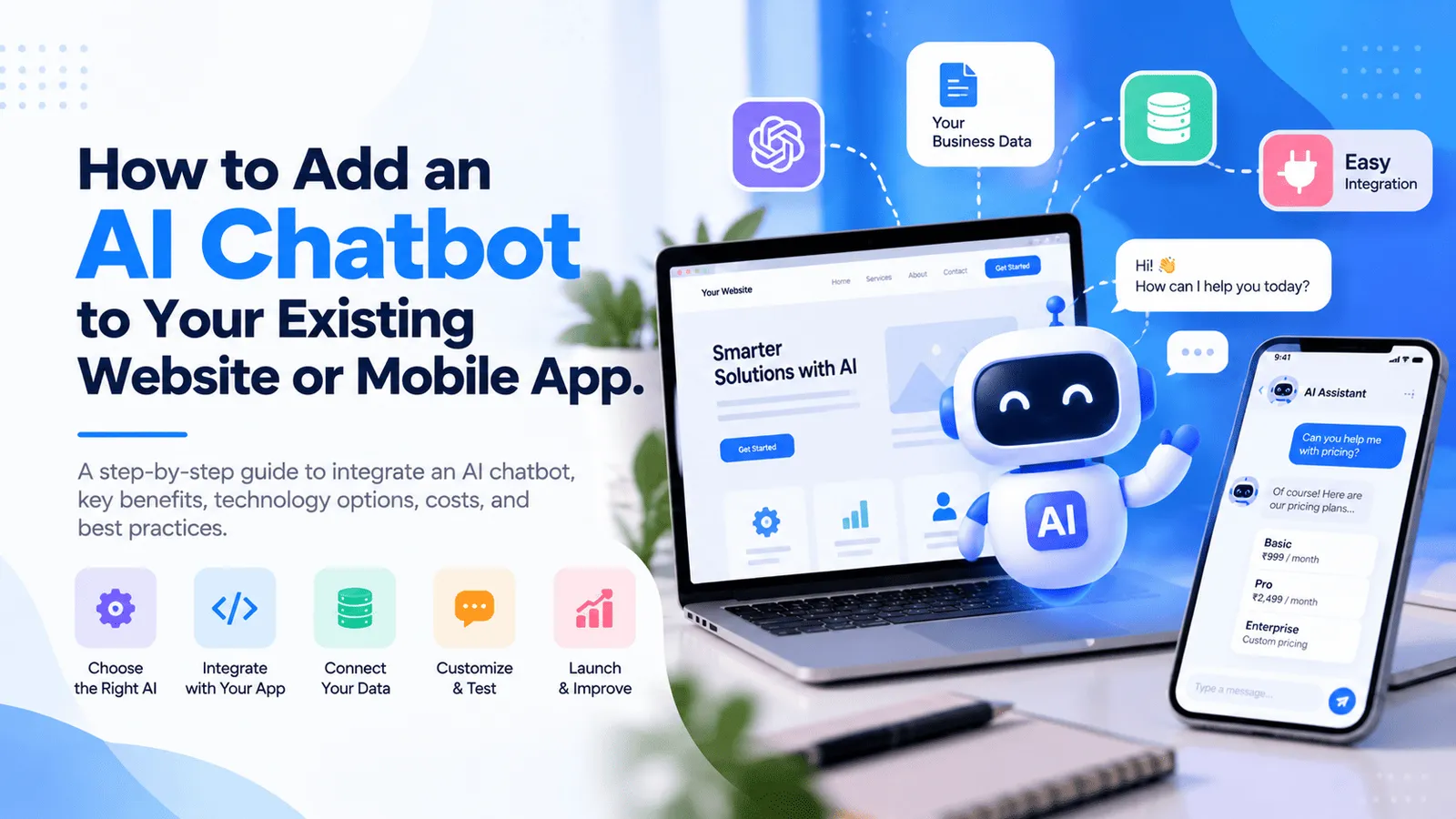
How to Add an AI Chatbot to Your Existing Website or Mobile App
Already have a business website, web application, or mobile app? Adding an AI chatbot can help you improve customer support, answer frequently asked questions, automate repetitive tasks, and make your existing digital product more useful without rebuilding it from scratch.
With modern AI APIs, conversational interfaces, and retrieval-augmented generation (RAG), businesses can introduce intelligent features into their existing products. Depending on your requirements, an AI chatbot can answer questions, search company documents, recommend relevant services, retrieve account information, or guide users through specific business workflows.
The key is to integrate AI around your existing product architecture, customer experience, data, and business objectives. A useful chatbot should do more than generate generic answers. It should provide relevant information, respect user permissions, protect sensitive data, and help customers complete meaningful tasks.
In this guide, we explain how to integrate an AI chatbot into an existing website or mobile app, which technologies and integration approaches to consider, how much development may cost, and what to plan before launching an AI-powered feature.
What Is AI Chatbot Integration?
How Does an AI Chatbot Work Inside an Existing Application?
AI chatbot integration is the process of connecting an AI-powered conversational interface to an existing website, web application, or mobile application. The chatbot receives a user's message, processes the request using an AI model and relevant context, and returns a response through the application's interface.
A basic implementation may connect the chatbot to an AI API to answer general questions. A more advanced implementation can retrieve information from your business documents, connect to existing backend APIs, access authorized account data, and initiate approved workflows.
For example, an ecommerce business could use an AI chatbot to answer product questions, recommend items, and explain order policies. A SaaS platform could help users understand product features, search documentation, or troubleshoot common issues. A service business could use an assistant to explain services, qualify enquiries, and guide visitors toward the next step.
The chatbot does not necessarily require a separate application. It can become an additional feature inside your existing digital product, provided your current architecture supports the required integration or can be extended appropriately.
Why Add AI Capabilities to Your Existing Product?
1. Improve Customer Support
An AI chatbot can answer common questions about services, pricing, documentation, policies, and product functionality. It can provide immediate assistance for supported requests and direct customers to a human representative when a situation requires specialist attention.
For businesses receiving repeated enquiries, an AI assistant can reduce the amount of routine information customers need to search for manually. Its actual impact depends on the quality of the knowledge source, question coverage, chatbot accuracy, and escalation process.
2. Make Information Easier to Find
Traditional websites often require users to browse menus, search pages, or open multiple documents to locate a specific answer. A conversational assistant can let users describe what they need in natural language.
For example, users might ask how to configure a feature, where to find a report, which service suits their requirements, or how to resolve a common issue. The chatbot can respond with relevant explanations and links to the appropriate pages or documentation.
3. Personalize the User Experience
When connected securely to the appropriate application data, an AI assistant can provide context-aware guidance. It might explain account settings, summarize authorized records, recommend relevant features, or help users navigate a complex workflow.
Personalization must respect authentication and access permissions. The chatbot should only retrieve information and perform actions that the current user is authorized to access.
4. Automate Repetitive Tasks
AI chatbots can do more than answer questions. Depending on the product, they may help users create support tickets, prepare reports, draft messages, complete forms, or initiate approved actions through existing backend APIs.
Tasks involving payments, sensitive data, account changes, or other consequential operations should include appropriate authorization, validation, confirmation, and audit logging.
5. Extend Your Product Without Rebuilding It
If you already have a functioning website or mobile application, you may be able to add AI features by extending its frontend and backend rather than replacing the entire system.
The required work depends on your existing architecture, API availability, database structure, authentication mechanism, and integration requirements. Older applications may need backend improvements before an AI chatbot can safely access existing functionality.
Types of AI Chatbots You Can Integrate
1. AI Customer Support Chatbot
A customer support chatbot answers questions about products, services, account usage, policies, troubleshooting, and common support issues.
It can use approved documentation and frequently asked questions as its knowledge source, provide relevant links, and transfer unresolved issues to a human support team.
This approach may suit ecommerce businesses, software companies, service providers, educational platforms, and businesses with repeated customer enquiries.
2. Website AI Assistant
A website AI assistant helps visitors navigate your website, understand your services, compare available options, and find relevant content.
It may also qualify potential customers by asking questions about their requirements and directing them to a suitable service page, contact page, or booking workflow.
For service-based businesses, this can create a more interactive experience than a static FAQ section alone.
3. AI Knowledge Base Chatbot
A knowledge base chatbot answers questions using your existing documents, help articles, product guides, manuals, policies, or internal knowledge repositories.
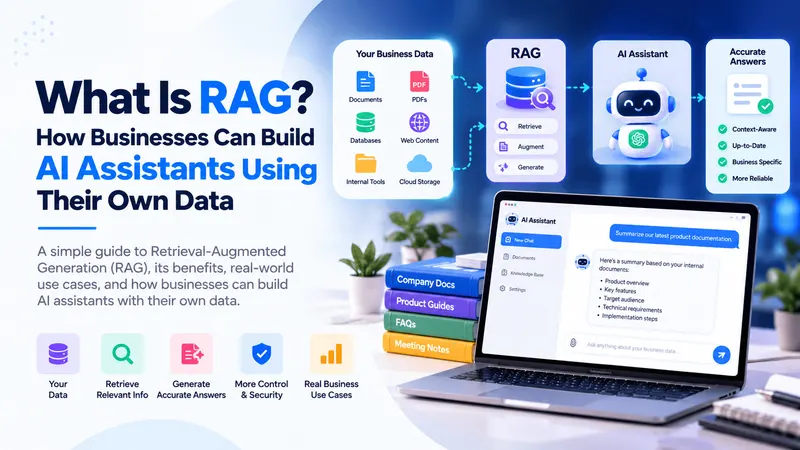
Retrieval-augmented generation (RAG) is a common approach for this type of application. It retrieves relevant information from a knowledge source and supplies that context to an AI model so the response can be grounded in the available material.
A well-designed implementation can include source links, access controls, document updates, and a fallback response when relevant information cannot be found.
4. AI Chatbot Inside a Mobile App
A mobile AI chatbot brings conversational assistance directly into an Android or iOS application. Users can ask questions, get help, understand app features, and interact with supported workflows without leaving the application.
Depending on the product, the experience may include text chat, voice input, conversation history, document uploads, contextual help, and notifications.
Mobile applications must also consider network connectivity, loading states, session management, mobile accessibility, API security, and how the interface behaves on different screen sizes.
5. AI Sales and Lead Qualification Assistant
An AI sales assistant can answer questions about your services, collect relevant project requirements, explain available options, and guide potential customers toward a consultation or enquiry.
For example, a software development company could use a chatbot to understand a visitor's project type, required features, target platform, estimated budget, and intended launch date before directing them to the contact team.
The chatbot should clearly explain what information it collects and should not promise delivery timelines, pricing, or capabilities that have not been confirmed.
6. AI Assistant Connected to Business Operations
An operational AI assistant can connect to authorized business APIs to retrieve information or initiate supported tasks.
Examples include helping employees find customer records, summarize operational reports, search inventory information, or prepare draft responses using existing business data.
These assistants require additional attention to identity verification, permissions, data isolation, input validation, audit trails, and human confirmation for sensitive actions.
How to Integrate an AI Chatbot Into Your Existing Website
Step 1. Define the Purpose of the Chatbot
Before selecting an AI model or writing code, identify the problem your chatbot should solve. Decide whether it should answer customer questions, search documents, recommend services, help users navigate your product, or interact with business workflows.
Choose a focused initial use case instead of trying to automate every customer interaction immediately.
Define practical success measures such as answer usefulness, task completion rate, customer feedback, escalation rate, and the percentage of supported questions answered correctly.
Step 2. Choose the Right Integration Approach
The integration approach depends on your existing technology stack and how much control you need over the chatbot experience.
Embedded chatbot widget: A chat widget can be added to supported website pages and styled to match your brand. This can be suitable for customer support, service enquiries, and documentation search.
Custom website interface: A custom interface can be built directly into your existing React.js or Next.js application. This provides greater control over the layout, authentication, conversation history, and application-specific workflows.
Backend-integrated assistant: A chatbot can communicate with your existing backend APIs to retrieve permitted information or perform approved actions. This is useful when the chatbot needs application context beyond public website content.
The best option depends on the level of customization, your current architecture, security requirements, and the expected user experience.
Step 3. Connect the Chatbot to an AI Model
Most custom AI chatbots use an AI model through a provider API or an appropriately deployed model. The model processes user messages and generates responses based on the instructions and context supplied by your application.
The backend typically manages API requests, conversation context, input validation, rate limits, error handling, and usage tracking.
Never expose private AI API keys in client-side JavaScript, public mobile application bundles, or browser-delivered configuration. Keep provider credentials on a controlled backend service and apply suitable authentication, authorization, and usage limits.
Step 4. Connect Your Business Knowledge
An AI model does not automatically know your latest product documentation, private company information, or current business records. If the chatbot needs to answer questions about your business, it requires a suitable knowledge source.
For a small support assistant, approved FAQ content and documentation may be sufficient. For larger collections of documents, a RAG pipeline can retrieve the most relevant passages before generating a response.
Depending on the data sources, the pipeline may include document extraction, text splitting, embeddings, a searchable index or vector database, metadata filtering, retrieval, and source attribution.
Ensure that documents are updated when your product changes and that retrieval respects the user's access permissions. A chatbot should not expose private information simply because that information exists somewhere in the knowledge base.
Step 5. Integrate Existing Backend APIs
If your chatbot needs live application data, connect it to existing backend APIs through a controlled server-side workflow rather than allowing direct unrestricted database access.
For example, an authenticated customer may ask about the status of their order or subscription. The application should verify the customer's identity, check their permissions, retrieve the relevant record using a trusted API, and provide only the information the user is allowed to see.
For any action that changes data, validate parameters, enforce business rules, and require confirmation where appropriate. The AI model can help interpret a request, but the backend remains responsible for authorization and execution.
Step 6. Test Before Releasing the Chatbot
Test the chatbot with real-world questions, spelling mistakes, ambiguous requests, unsupported questions, and attempts to access unauthorized information.
Review factual accuracy, relevance, response time, error handling, source quality, and the chatbot's ability to recognize when it cannot provide a reliable answer.
Also test usage limits, provider failures, long conversations, prompt injection attempts, and handoff to human support.
Begin with a limited rollout when possible, gather user feedback, and improve the chatbot using measured results rather than relying on a few successful demonstrations.
How to Add an AI Chatbot to a Mobile App
1. Review Your Existing Mobile Architecture
Before adding an AI chatbot, review your existing mobile application, backend APIs, authentication flow, navigation structure, and data requirements.
For applications built with React Native, the chatbot interface can be implemented as a reusable screen, a conversation component, or a floating chat entry point depending on the existing app design.
Native Android and iOS applications can also integrate AI through a secure backend API. The appropriate approach depends on your existing technology stack and the interaction experience you want to provide.
2. Design the Chat Interface
The mobile interface may include conversation bubbles, a message composer, loading indicators, retry controls, source links, and clear error messages.
Consider the screen size, keyboard behavior, scrolling, accessibility, long responses, connection interruptions, and the ability to resume a conversation when appropriate.
If your app already uses established design components, reuse them where practical to provide a consistent experience.
3. Connect the Mobile App to a Secure Backend
The mobile app should send a user's message to your authenticated backend, which then manages communication with the AI provider and any connected knowledge sources or internal APIs.
The backend can verify the user's identity, apply request limits, attach authorized context, process the model response, and return the result to the app.
Do not treat a mobile application as a trusted environment for storing permanent AI provider secrets. Client applications can be inspected, so sensitive credentials should remain on the server.
4. Add App-Specific AI Features
Once the basic conversation flow works, you can introduce AI capabilities tailored to your product.
Contextual help: Answer questions about the screen or feature the user is currently viewing.
Intelligent search: Help users find information through natural-language questions.
Document assistance: Summarize or explain supported documents based on the user's permissions.
Workflow guidance: Help users complete supported processes using clear, step-by-step instructions.
Voice interaction: Add speech input or audio responses when accessibility, product value, and technical requirements justify the additional work.
Conversation history: Save and restore conversations when appropriate, with clear retention and privacy controls.
Start with the use case that creates the most value for your users. Adding every possible capability at once increases complexity, testing requirements, and operating costs.
5. Test Across Devices and Network Conditions
Test the assistant on supported Android and iOS devices, including smaller screens, slow connections, interrupted requests, app backgrounding, expired sessions, and failed API responses.
Confirm that conversation history is handled correctly and that one user cannot access another user's conversations or private information.
Mobile app releases should also follow the application's existing testing and deployment process. If a change requires a new native build, plan for the appropriate app store release workflow.
Which Technologies Can Be Used for AI Chatbot Integration?
Frontend Technologies
React.js and Next.js: Suitable for adding chatbot interfaces to existing websites, customer portals, dashboards, and SaaS applications.
React Native: Suitable for implementing chatbot screens and conversational components in cross-platform Android and iOS applications.
HTML, CSS, and JavaScript: Suitable for a simple embedded widget or a lightweight custom chat interface where the existing application architecture allows it.
Backend Technologies
Node.js and Express.js: Can manage chatbot requests, authenticate users, call AI provider APIs, connect internal services, and enforce application rules.
REST APIs: Allow the chatbot to communicate with existing business services, provided the APIs expose the required functionality securely.
Background workers: Can be useful for document processing, indexing, batch operations, or other tasks that should not block an interactive request.
Databases and Knowledge Retrieval
PostgreSQL or MySQL: Can store application records, user data, conversation metadata, and other structured information according to the existing architecture.
MongoDB: May suit applications that already use document-oriented data models or need flexible document storage.
Vector search: A vector database or a database extension with vector search capabilities can help retrieve semantically relevant content for a RAG-based chatbot.
Object storage: Can store supported documents and related files when the chatbot needs access to a managed knowledge collection.
The choice depends on your existing infrastructure, data volume, query patterns, permissions, and operational requirements. You do not necessarily need to introduce a new database just to add a basic chatbot.
AI Models and Provider APIs
AI chatbot implementations can use hosted model APIs or self-hosted models, depending on response quality, latency, privacy requirements, operational capacity, and cost considerations.
When evaluating providers, review model capabilities, supported regions, pricing, rate limits, data handling policies, context limits, reliability, and available integration tools.
Model providers and pricing can change, so verify current documentation and commercial terms before selecting a provider for production use.
AI API Integration vs. Retrieval-Augmented Generation (RAG)
When Is a Basic AI API Integration Enough?
A direct AI API integration may be sufficient when the chatbot answers general questions, helps draft content, summarizes user-provided text, or performs a limited task that does not depend on a large private knowledge base.
This approach is often a practical starting point because it involves fewer infrastructure components than a document retrieval system.
However, a model may not know your latest product details or private business information. It can also produce incorrect or unsupported answers, so responses need appropriate context, evaluation, and fallback behavior.
When Should You Use RAG?
Retrieval-augmented generation combines information retrieval with an AI model. The system searches a controlled knowledge source, selects relevant content, and supplies it as context for generating a response.
RAG may be appropriate when the chatbot needs to answer questions using product manuals, internal documentation, company policies, help articles, or other business-specific material.
A typical workflow includes:
Collect and process approved documents.
Split documents into searchable sections and preserve relevant metadata.
Generate embeddings or prepare another supported search index.
Retrieve relevant passages for each user question.
Apply access controls and provide retrieved context to the model.
Generate the answer and return useful citations or source links when possible.
Evaluate response quality and update the knowledge collection as content changes.
RAG can improve grounding in business information, but it does not guarantee correctness. Retrieval quality, document freshness, prompt design, model behavior, and access-control implementation all influence the result.
Should You Fine-Tune an AI Model?
Fine-tuning can be useful for certain specialized behaviors, formatting needs, or repeatable tasks where suitable training examples are available. It is not automatically the best way to make a chatbot understand changing company documentation.
For many business knowledge applications, improving retrieval, instructions, source content, and evaluation is a more practical first step. The right approach depends on the actual limitation you need to solve.
How Much Does AI Chatbot Integration Cost in 2026?
AI Chatbot Development Cost in India
The cost of integrating an AI chatbot into an existing website or mobile application depends on the chatbot's purpose, the existing architecture, the required knowledge sources, the number of integrations, security requirements, and testing scope.
The following are indicative project-planning ranges for businesses working with a development team in India. They are not fixed quotations, and an existing, well-structured application may cost less than an application that requires significant backend changes.
Basic website chatbot: ₹40,000–₹1.5 lakh. Suitable for a simple AI chat interface connected to a provider API with basic instructions and limited customization.
Custom website or mobile app chatbot: ₹1.5 lakh–₹4 lakh. May include a branded interface, backend integration, authentication where required, conversation handling, logging, and basic controls.
Knowledge base chatbot using RAG: ₹3 lakh–₹8 lakh. May include document ingestion, semantic retrieval, a knowledge index, source references, and a testing process for business-specific answers.
AI assistant integrated with existing business APIs: ₹4 lakh–₹12 lakh or more. May include authenticated data retrieval, role-based permissions, workflow actions, auditing, and multiple integrations.
Advanced AI product assistant: ₹10 lakh–₹25 lakh or more. May include multiple knowledge sources, sophisticated workflows, advanced retrieval, detailed analytics, extensive evaluation, and stronger operational requirements.
These estimates are intended to help with initial planning. A detailed scope is required to determine actual effort, dependencies, and delivery timelines.
What Affects the Integration Budget?
Existing application architecture: A modern application with documented APIs and established authentication is often easier to extend than a legacy application with tightly coupled logic.
Knowledge source complexity: A chatbot using a small collection of approved FAQs requires less data preparation than one that processes large document repositories with frequent updates and access restrictions.
Integration depth: A chatbot that only answers questions is usually simpler than one that retrieves customer records, creates support tickets, or updates data through business APIs.
Security and privacy: Sensitive business data may require stronger access control, audit logging, retention policies, testing, and security reviews.
User experience: A basic chat widget is generally less expensive than a highly customized interface integrated deeply into multiple product screens.
Testing and reliability: Production applications need evaluation for incorrect answers, unsupported requests, prompt injection, provider failures, rate limits, and unexpected user behavior.
AI Chatbot API and Monthly Running Costs
How Much Does It Cost to Run an AI Chatbot?
After development, you need to budget for AI model usage and the infrastructure needed to operate the integration. The monthly cost depends on the number of conversations, message length, model selection, retrieval requirements, document processing, and response quality controls.
Small applications may begin with relatively modest usage expenses, while high-volume products or advanced workflows can create substantially higher recurring costs. Current provider pricing should be checked before preparing a final financial forecast.
Ongoing expenses may include:
AI model input and output usage.
Backend hosting and background processing.
Vector search or other retrieval infrastructure where required.
Document storage and processing.
Monitoring, logging, analytics, and error tracking.
External APIs, communication services, and customer support tools.
Estimate costs using expected conversation volumes and representative message lengths. Measure actual usage after launch and apply sensible limits so unexpected traffic or repeated automated requests do not create excessive charges.
How to Control AI Usage Costs
Choose a model appropriate for the complexity of the task. Simple routing, classification, and straightforward questions may not require the same model capabilities as complex document analysis.
Limit unnecessary conversation history, retrieve only relevant document sections, and avoid repeated model requests when a response can safely be reused. Apply rate limits, request validation, usage monitoring, and budget alerts where available.
Do not optimize for cost at the expense of essential accuracy, privacy, or safety requirements. Evaluate the overall value and reliability of the chatbot rather than comparing model prices alone.
Security and Privacy Considerations for AI Chatbot Integration
Protect API Keys and Credentials
Keep AI provider secrets on the backend and store them using appropriate environment variables or a managed secrets service. Do not expose private credentials in a web bundle, mobile app, or public repository.
Enforce Authentication and Authorization
If the chatbot retrieves personal, account-specific, or organization-specific information, verify the user's identity and permissions before retrieving the data. Apply authorization rules in the backend and connected services rather than relying on the model to decide what information can be accessed.
Minimize Sensitive Data
Send only the data required to answer a user's request. Avoid including unnecessary personal information, confidential records, credentials, or unrelated conversation history in model requests.
Review provider data handling, retention, processing location, and contractual terms to ensure the integration meets your business and customer obligations.
Defend Against Prompt Injection and Unsafe Actions
User messages and retrieved documents may contain instructions designed to manipulate the chatbot. Treat retrieved content as untrusted input, separate instructions from reference material, and apply clear restrictions to tools and actions.
Enforce server-side validation and permissions for every operation. Require explicit confirmation for sensitive actions when appropriate, and maintain audit records for important changes.
Provide Human Escalation and Clear Expectations
Explain that users are interacting with an AI assistant when appropriate. Provide a route to human support when the chatbot is uncertain, the user requests assistance, or the issue exceeds its approved capabilities.
Use evaluation and monitoring to identify unsupported answers, recurring failures, and topics that require better documentation or revised workflows.
Common Mistakes to Avoid When Adding AI to an Existing Product
1. Adding AI Without a Clear Business Goal
A chatbot may appear impressive in a demonstration but fail to create meaningful value if it does not solve a real user problem. Define the desired outcome and success measures before choosing a model or developing the interface.
2. Assuming the Model Already Knows Your Business
General-purpose models do not automatically have access to your current policies, product documentation, private records, or live account data. Connect the appropriate knowledge sources and APIs, and make the limits of the chatbot clear.
3. Giving the Chatbot Unrestricted Data Access
Do not allow the AI assistant to query databases or execute business operations without controlled authorization. Use well-defined backend tools, server-side validation, scoped permissions, and appropriate approval workflows.
4. Ignoring Incorrect or Unsupported Answers
AI responses can be inaccurate, incomplete, or misleading. Test representative questions, measure answer quality, use reliable sources where possible, and provide fallback responses when sufficient evidence is unavailable.
5. Overlooking Recurring Costs
Model usage, hosting, storage, monitoring, and external APIs create costs after launch. Forecast expected usage, establish limits, and review actual operating expenses.
6. Launching Without Monitoring
Once the chatbot goes live, monitor performance, response times, failures, user feedback, costs, and escalation rates. Use the findings to improve the knowledge source, interface, prompts, permissions, and retrieval system.
How to Choose an AI Chatbot Integration Partner
What Should You Evaluate Before Hiring a Development Company?
Integrating AI into an existing website or mobile application requires more than connecting an API. The development partner should understand your product architecture, user workflows, security requirements, existing APIs, and the practical limitations of AI models.
Before selecting a partner, consider the following questions:
Can the team integrate AI into your existing application without unnecessarily rebuilding it?
Can they explain when a basic AI API is enough and when RAG or other retrieval methods are useful?
How will the chatbot access existing APIs, documents, and account-specific data securely?
How will the solution handle incorrect answers, unsupported requests, and provider outages?
Will you have access to the source code, provider accounts, configuration, and deployment documentation?
How will ongoing AI usage costs, monitoring, maintenance, and improvements be managed?
Ask for a clear project scope covering the chat interface, backend changes, AI model integration, knowledge sources, security controls, testing, deployment, and exclusions. A structured plan makes it easier to compare proposals and avoid unexpected costs.
At MT TechnoSoft, we help businesses explore AI integration for existing websites, SaaS platforms, web applications, and mobile apps. Depending on your requirements, a solution may include AI chatbot development, API integration, knowledge base search, RAG, secure backend workflows, and ongoing technical support.
Our focus is on understanding the problem first, selecting an appropriate technical approach, and integrating AI capabilities into your existing product in a maintainable and secure way.
Frequently Asked Questions About AI Chatbot Integration
Can I add an AI chatbot to my existing website without rebuilding it?
Yes. In many cases, a chatbot can be added to an existing website through an embedded widget, a custom frontend component, or a backend API integration. The amount of work depends on your current technology stack, authentication requirements, APIs, and desired functionality.
Can I integrate an AI chatbot into an existing mobile app?
Yes. An AI chatbot can be integrated into existing Android, iOS, or React Native applications. The app typically sends messages to a secure backend, which communicates with the AI provider and returns the responses. The design and implementation depend on your current mobile architecture and user experience requirements.
Do I need to train my own AI model?
Not necessarily. Many chatbot use cases can be implemented with a hosted AI model API, suitable instructions, and relevant context. If the chatbot must answer questions from company documentation, RAG may be more practical than training a new model. Fine-tuning may be useful for selected specialized requirements, but the approach should be chosen based on measured needs.
What is the difference between an AI chatbot and a RAG chatbot?
A basic AI chatbot may generate answers using the model and the context supplied in the request. A RAG chatbot first retrieves relevant information from a knowledge source and uses that content to help generate an answer. RAG can make responses more grounded in business documentation, although it does not guarantee correctness.
How much does AI chatbot integration cost in India?
Indicative budgets may range from ₹40,000–₹1.5 lakh for a basic website chatbot, ₹1.5 lakh–₹4 lakh for a customized website or mobile app integration, and ₹3 lakh–₹8 lakh for a knowledge base chatbot using RAG. Advanced assistants connected to business systems may require ₹4 lakh–₹12 lakh or more. The actual cost depends on project scope and existing architecture.
How long does it take to integrate an AI chatbot?
A straightforward chatbot may take a few days to several weeks, depending on customization and testing. A branded interface with backend integration may take several weeks, while a RAG system or assistant connected to multiple business APIs may require several weeks or months. These timelines depend on requirements, data readiness, and security needs.
Can an AI chatbot answer questions using my company's documents?
Yes. A chatbot can use approved company documents, product manuals, knowledge base articles, and other supported data sources. A RAG architecture can retrieve relevant passages for each question. The implementation should also handle document updates, access permissions, source references, and cases where sufficient information is not available.
Can an AI chatbot access customer data in my application?
Yes, when the application exposes the required functionality through secure APIs and the user is authorized to access the relevant data. The backend must verify identity, permissions, and business rules before returning information. The AI model should not receive unrestricted access to your production database.
Will an AI chatbot always provide accurate answers?
No. AI models can generate incorrect, incomplete, or unsupported answers. Accuracy can be improved through reliable knowledge sources, relevant context, testing, clear instructions, source references, and fallback behavior, but important workflows still need appropriate validation and human oversight.
What are the ongoing costs of running an AI chatbot?
Ongoing expenses may include model API usage, hosting, database or vector search services, document storage, monitoring, logging, and maintenance. Costs depend on the number of users, request frequency, model selection, message length, and retrieval requirements.
Is AI chatbot integration secure for business applications?
It can be designed with appropriate security controls, including server-side API keys, authentication, authorization, data minimization, rate limits, audit logging, and provider data-handling reviews. The required controls depend on your application, data sensitivity, and business obligations.
Can an AI chatbot perform actions instead of just answering questions?
Yes. With controlled backend integrations, a chatbot may create a support ticket, retrieve an order status, draft a report, or initiate another approved workflow. The backend must validate inputs and enforce permissions. Sensitive operations may require explicit user confirmation and audit logging.
Ready to Add AI to Your Existing Website or App?
You do not need to rebuild your entire digital product to introduce useful AI capabilities. The right integration can extend your existing website, SaaS platform, or mobile application with conversational support, intelligent search, document-based answers, and selected workflow automation.
The best starting point is to identify one customer or business problem, review your existing architecture, and define a manageable first version. From there, you can evaluate the integration approach, required data sources, expected usage, security controls, and ongoing operating costs.
MT TechnoSoft can help you assess your existing application and explore a suitable AI chatbot integration approach based on your requirements, technology stack, and budget.
Ready to explore AI integration for your product? Contact MT TechnoSoft to discuss your website or mobile app, identify valuable AI use cases, and plan the next step toward an AI-powered customer experience.